New Quick Panels shader group to add subtle or sharp panel like texture details. Some of the property defaults for Quick Edge and Simple Dirt has been changed. Added multiplier for Quick Edge: Radius property to make it less sensitive to use.
Blend scene h...
2021-12-09 04:54:40 +0000 UTC
View Post
Quick Edge Mask
This only works for EEVEE and Cycles has its own node setup for this. This shader uses two AO shader nodes to come up with the edge masks, one for the outside edges and another for the inside edges.
The only caveat for now is that AO fades away when you zoom out, I managed to somewhat remedy thi...
2021-12-03 07:45:36 +0000 UTC
View Post
This blend scene contains the Simple Dirt shader group which can be used to quickly grunge up your 3D model. It's simple and easy to use. The scene has a tie fighter sample model created using the Random Flow add-on. Just append the shader node group to your scene using the hotkey F4 in the 3D viewport and you can add it in the shader window usi...
2021-11-24 06:53:42 +0000 UTC
View Post
This is a sample scene on a model created using Random Flow with a semi-procedural shader and render setup.
2021-10-06 11:22:36 +0000 UTC
View Post
Rocket flame objects and shaders.
2021-08-27 08:39:53 +0000 UTC
View Post
Simple shader node group to create circuit board like texture effects.
2021-08-13 04:26:01 +0000 UTC
View Post
Blend scene for the vanilla tutorial video containing the textures, nodes and model.
2021-08-09 04:44:27 +0000 UTC
View Post
The Quick Edge Mask shader group creates an edge mask that works in Eevee and Cycles. It can be used to create worn edge details using procedural texturing techniques. The .blend scene has practical application example on how the node group can be used.
2021-07-21 03:45:26 +0000 UTC
View Post
Glitching font .blend scene. This is a simple font effect setup that can be added to videos. Press play to animate. Main font is using geometry nodes to create the shake effect. Be sure to use Blender version 2.93+.
2021-07-08 08:39:36 +0000 UTC
View Post
As per request, this video shows the simple process of how I create the normal map patterns using Blender and the TexTools add-on.
2020-11-21 05:08:45 +0000 UTC
View Post
Here are 8 sets of normal map patterns I made to serve as quick floater details for hard surface or organic surfaces.
Watch this link for basic use demo: https://youtu.be/HKeplv9rmZs
2020-11-07 09:49:28 +0000 UTC
View Post
This is a simple add-on I made to display reference images in Blender. Be sure to use the official version to avoid errors. Installation instructions are in the readme file along with a basic use video demo. Proceeding versions will have changelog videos.
2020-11-02 05:53:12 +0000 UTC
View Post
Small scene I made to test the anti_tile_uv shader node group and the new version of GIMP (normal map conversion). Textures in the scene are mostly image driven.
This is rendered in Eevee. The scene is defaulted at solid view so you have to set it to Material Preview or Rendered to see the effects of the shaders and ...
2020-06-14 04:36:43 +0000 UTC
View Post
This is my personal twist to the anti-tile shader node setup.
The zip file has 2 blend scenes with 2 anti-tile node group. The anti_tile_no_uv requires no uv unwrapping - this is basically plug and play. The anti_tile_uv needs uv unwrapping - this offers some versatility since the distrib...
2020-06-06 04:37:25 +0000 UTC
View Post
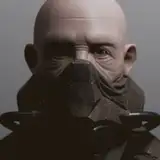
Head shot blend to practice my quick sculpt to retopo to modifiers detailing workflow when it comes to creating hard surface assets for character development.
This contains useful tricks like volumetric clouds, procedural cloth and leather (courtesy of 2020-05-29 10:45:32 +0000 UTC
View Post
Scifi chest sample blend scene. Most objects are modular with modifiers intact. Procedural textures and rendered using Eevee. Press space to play the scene.
2020-04-18 13:19:53 +0000 UTC
View Post
Conceptual sidearm created using the Creative Bundle. Modifiers intact. Ngon. No UV's. Procedural shader.
2020-03-15 09:52:37 +0000 UTC
View Post