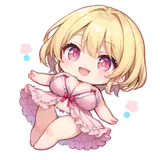
How Do I Work (Updated)
Added 2024-08-14 16:01:53 +0000 UTCEnglish/日本語
Hi, in this post I will explain the way I make my drawings and how I work.
こんにちは、この投稿では、私がどのように絵を描き、どのように作業しているかを説明します。 (日本語のテキストは以下です。)
1- CREATION OF THE DIGITAL DRAWINGS
I'll start first by talking about the first thing I do every time I'm going to create a new drawing, which is to start by drawing what I want using Krita.
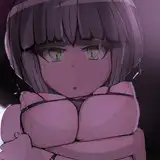
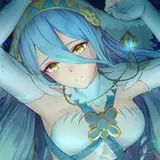
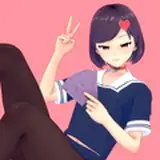
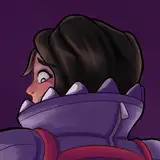
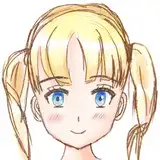
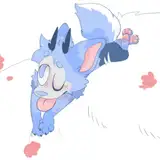
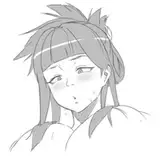
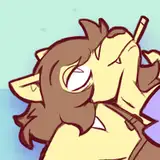
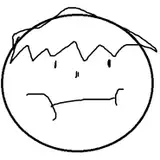
I'll give as an example this sketch I was doing before sometimes I start adding flat colors when I'm doing the sketch, this helps me to guide certain parts better in my case, and once I have the complete drawing I polish the details and strokes.
Once I have the drawing finished I move on to the next step (step 3 if it's only digital).

2- FINDING THE BALANCE BETWEEN DIGITAL DRAWING AND AI.
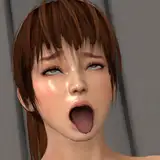
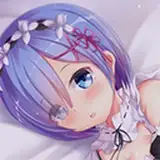
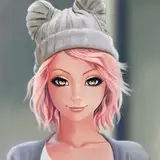
The quality of my drawings is basic, so to improve the detail I use AI. I use the method "Image to Image" which consists of using an existing image (my drawing), and applying AI to modify the appearance, in my case the result is a drawing with more detail, better stroke and better shading, but with contamination of drawing errors that I try to fix later.
Of course this needs a balance, in "image to image" you control the influence of the AI with the prompt and other settings, I always use a medium influence on the drawing so that you don't notice the AI merging with the original drawing and it looks consistent. A low value will make you notice that the AI is trying to transform my drawing and it will look weird, and a high value will make the AI ignore what I have drawn, that's why I try to keep it in a middle point where you don't notice the merging and it respects my original drawing.
As I mentioned the prompt is also important, I must describe to the AI what I have drawn and how I want it to treat it. If the description is bad the AI will not know how to act and will make a mess. I usually use around 200 words in the positive prompt, and 100 in the negative.
3- IMPROVING AND CLEANING THE DRAWING
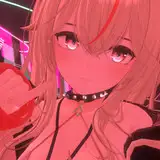
Once I've got the balance between my drawing and the changes made using AI, it's time to fix the mistakes added by the AI, like extra fingers, nonsense artifacts, etc... It takes a while to fix or redraw most of the ones I notice. When I have fixed the AI added mistakes I retouch the image color and white balance to improve the quality.
If it's digital only I also try to correct and polish the drawing.
4- VERSIONS AND DELIVERY
Once the drawing is finished and polished, I make multiple versions of it, 3 for the same image:
One is the version that I will keep as the original, right now I use WEBP format for it because it keeps the same quality as PNG and it's lighter.
Other image with lower quality using JPG for Pixiv, which is the free version.
And one last image for the preview.
5- EXTRA
I haven't spoke about the AI checkpoints and configuration because I think that explaining it is complicated and boring. But I spend a lot of time improving and configuring them. AI is a very complex technology to make, but it's very helpful as a tool.
While many think I just write and post anything that an AI made, it's not like that. I follow a long and complicated process to produce new drawings, I'm skipping a lot of boring details about the process but it's harder and longer than what I said, also I use a local AI configured by me. AI is seen as something awful, but that depends on how it's used, I use it as a tool to improve my drawings.
All my drawings since half of July 2024 are made totally digital, or Digital + AI merge, but I don't make pure AI generated images since then.
By the way, I had to remake this post because the old updated post was deleted by patreon by mistake due their automated system, once they restored it... It was too late, it took more than 1 month to be restored, so I made this new and updated post.
#Disclaimer: This post only contains information about my work process and everything is family friendly. Patreon only allows to show mature content on paid posts.
/
日本語 (このテキストは翻訳者を使って翻訳されたため、完全に一貫性があるわけではありません。)
1- デジタル描画の作成
最初に、新しい絵を作成する際に毎回最初に行うことについて話します。
それは、Kritaを使って自分が描きたいものを描き始めることです。
例として、以前に描いていたこのスケッチを挙げます。
スケッチをしているときに平面的な色を追加することもあります。
これは、私の場合、特定の部分をよりよくガイドするのに役立ちます。
そして、完全な絵が完成したら、細部や線を整えます。
絵が完成したら、次のステップ(デジタルのみの場合はステップ3)に進みます。
2- デジタル描画とAIのバランスを見つけること。
私の絵の質は基本的なものであるため、詳細を改善するためにAIを使用しています。
私は「画像から画像へ」という方法を使っており、これは既存の画像(私の絵)を使用し、AIを適用して外観を修正するというものです。
私の場合、結果はより詳細で、より良い線と影のある絵になりますが、描画エラーの汚染があり、それを後で修正しようとしています。
もちろん、これはバランスが必要です。「画像から画像へ」では、プロンプトやその他の設定でAIの影響を制御します。
私は常に描画に中程度の影響を与えるようにしており、AIが元の絵と融合していることに気づかれないようにしています。
低い値では、AIが私の絵を変えようとしているのがわかり、変に見えます。高い値では、AIが私が描いたものを無視することになります。
だからこそ、融合に気づかれず、私の元の絵を尊重する中間点に保つようにしています。
前述のように、プロンプトも重要です。私はAIに何を描いたか、どのように扱ってほしいかを説明する必要があります。
説明が不十分だと、AIはどう行動すべきかわからず、混乱を招いてしまいます。
私は通常、ポジティブなプロンプトで約200語、ネガティブなプロンプトで100語を使用します。
3- 描画の改善とクリーンアップ
AIを使って行った変更と私の絵とのバランスが取れたら、AIによって追加された間違い、例えば余分な指や意味のないアーティファクトなどを修正する時間です。
気づいたほとんどの間違いを修正または再描画するのには時間がかかります。
AIが追加した間違いを修正したら、画像の色とホワイトバランスを調整して品質を向上させます。
デジタルのみの場合も、絵を修正して磨くようにしています。
4- バージョンと納品
絵が完成し、磨かれたら、その絵の複数のバージョンを作ります。同じ画像のために3つ作ります。
1つは、オリジナルとして保持するバージョンです。現在、私はこれにWEBP形式を使用しています。これは、PNGと同じ品質を保ちながら、より軽量です。
もう1つは、Pixiv用に低品質のJPGを使用した画像で、無料版です。
最後に、プレビュー用の画像を1つ作ります。
5- エクストラ
AIのチェックポイントや設定については、説明するのが複雑で退屈だと思うので話していません。しかし、それらを改善し設定するのに多くの時間を費やしています。AIは非常に複雑な技術ですが、ツールとして非常に役立ちます。多くの人は、私がAIが作ったものをただ書いて投稿していると思っていますが、そうではありません。新しい絵を制作するために長く複雑なプロセスを経ており、そのプロセスに関する退屈な詳細を省いていますが、私が言ったよりも難しく、時間がかかります。また、私は自分で設定したローカルAIを使用しています。AIは恐ろしいものと見なされがちですが、それは使い方次第です。私はそれを絵を改善するためのツールとして使用しています。2024年7月半ば以降の私のすべての絵は、完全にデジタルまたはデジタル+AIの融合で作成されていますが、それ以降は純粋なAI生成画像は作成していません。ところで、古い更新投稿が自動システムの誤りでPatreonによって削除されたため、この投稿を作り直さなければなりませんでした。それが復元されたときには... すでに遅すぎました。復元に1ヶ月以上かかりましたので、この新しく更新された投稿を作成しました
#免責事項: この投稿には私の作業プロセスに関する情報のみが含まれており、すべて家族向けです。Patreonは、有料投稿でのみ成人向けコンテンツを表示することを許可しています。



![[TR] Toxxic Rhiannyr](https://samukata.com/istorage/109235.jpg)