Hey everybody,
I promised I would do this one day, and the reason I was advised to do it was transparency. I want to be transparent and explain how I do my pieces. This might be educational for some; for others, this might be a reason to hate on me. Ever since I started using AI tools, there has been this cloud of stink following me around, with some people throwing what I do into the "AI slop" pile with no human factor. Well, even though I don't mind anybody using AI in any way that makes them happy and creative (as long as it follows basic rules of common sense and ethics), what I do is not simple text-to-image work. Again, there's nothing wrong with it, my fellow AI enthusiasts. I just want to show you how I go from 0 to this:
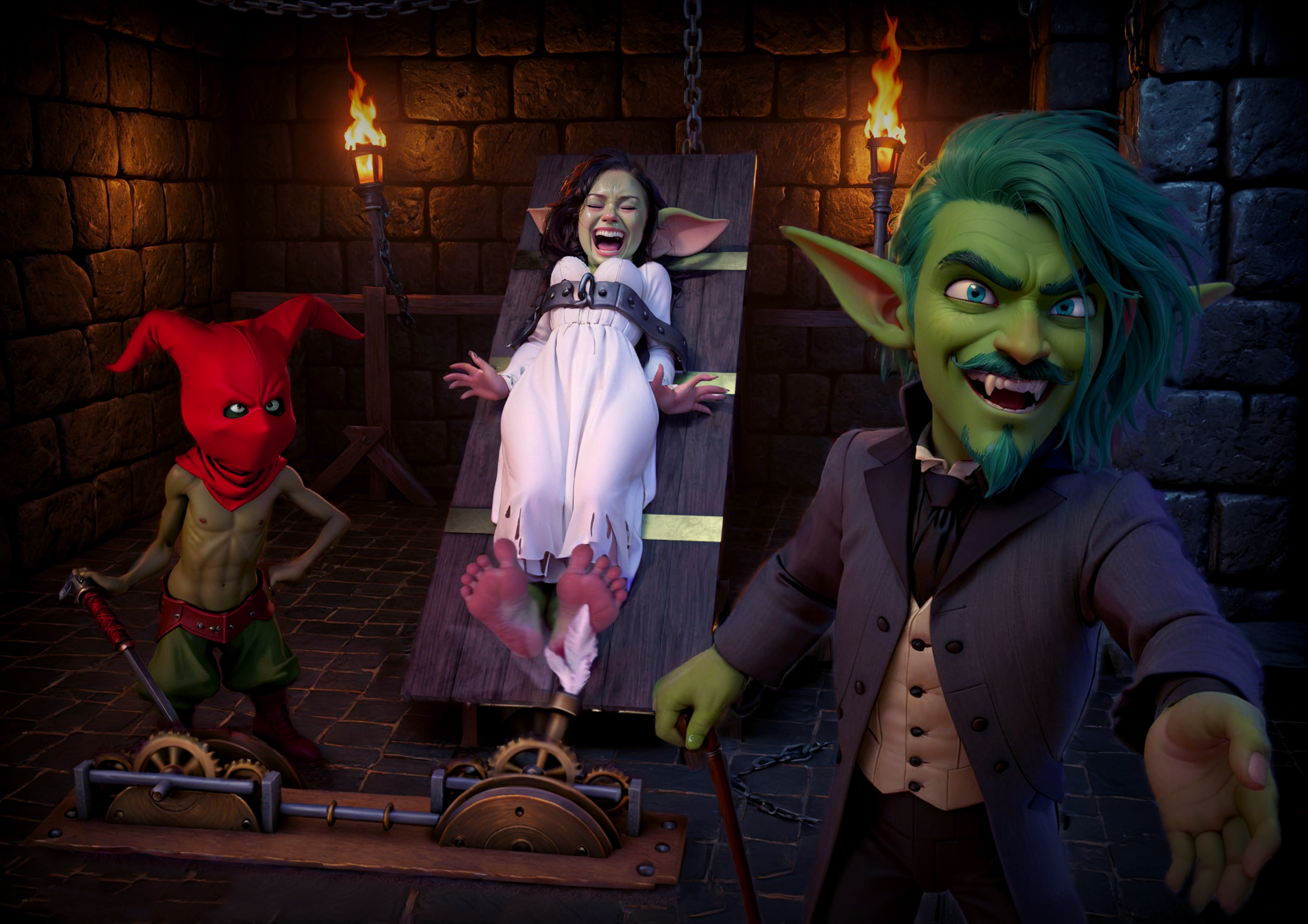
Step 1: Ideas into renders
Basically, every single image I make starts in DAZ Studio. For those not familiar with what DAZ3D is, it's a 3D rendering software that uses 3D models you can shape and modify (which I did by hand for my goblins in Blender) and pose to create scenes. So for this particular image, it would look like this:
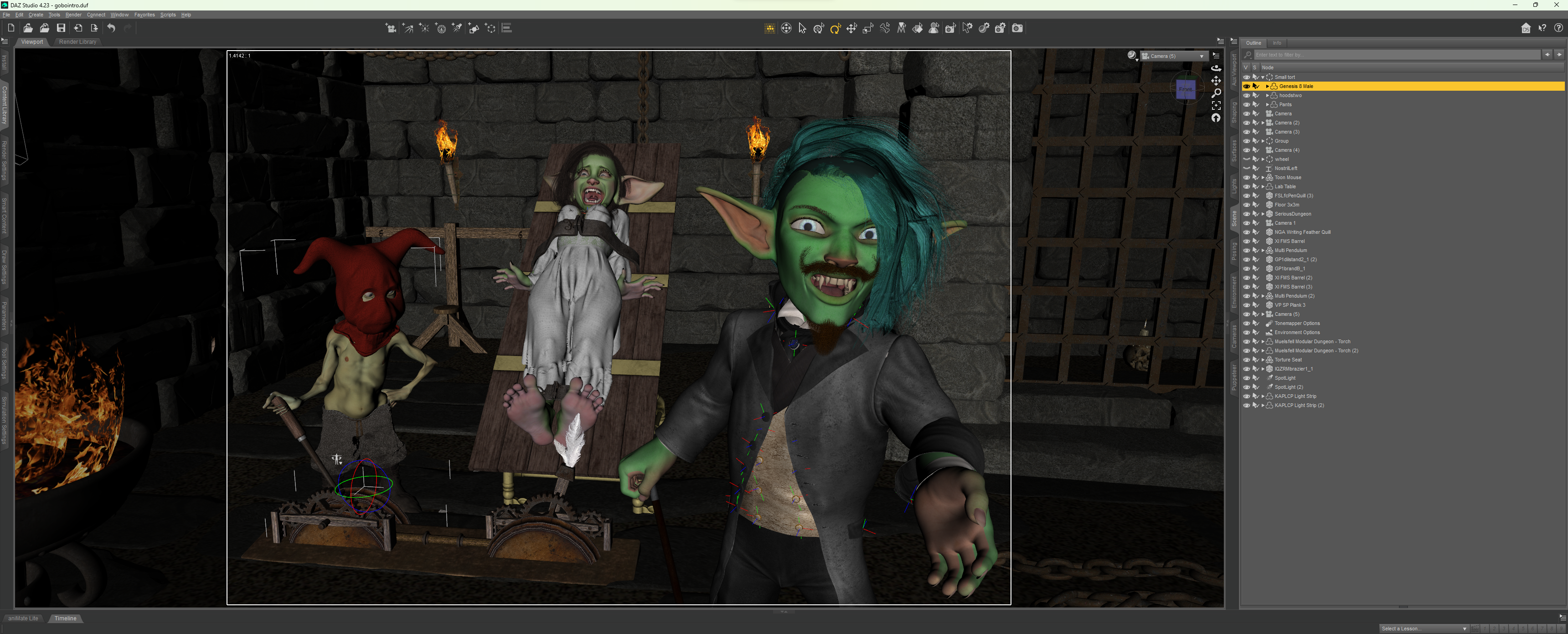
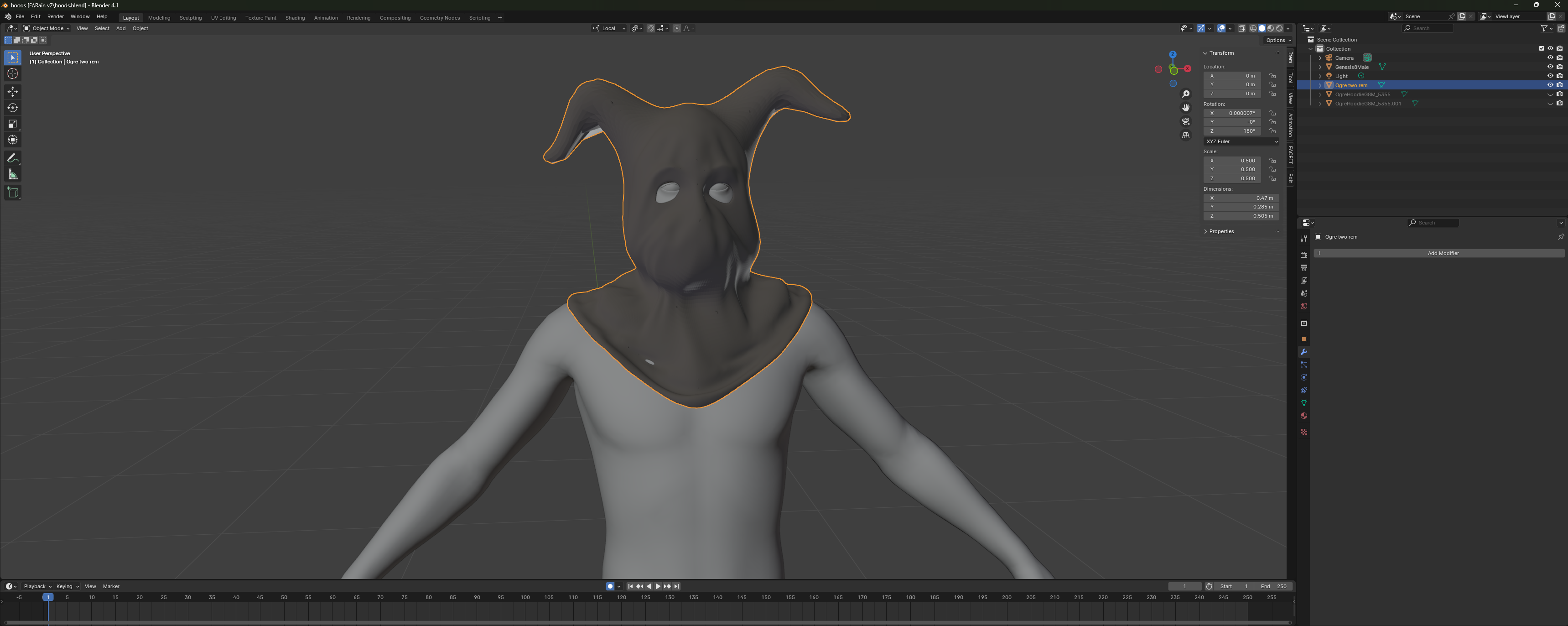
Cool, eh? This starts from a completely blank page, mind you. For this scene in particular, I used some of the assets I bought to make this composition. Just to point out: the textures of the goblins were hand-painted by me in Substance Painter (a rather difficult software to learn, just to get those pink soles on that green body). The models were shaped in Blender, also by hand, by me. Sure, I use pre-made shapes with them as well, such as the ears on my lady (shoutout to @RazzleDazzle3D, who makes the best shapes for G8 characters), but I'm here to show the "human" aspect of my work. Next, I would make anything I want for the render that I can't buy—like, for example, the wacky torturer's hood inspired by the manga Berserk:
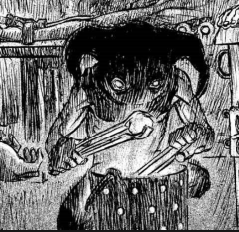
So once I make my scene (with all the lights, camera setups, and all), I get something like this:
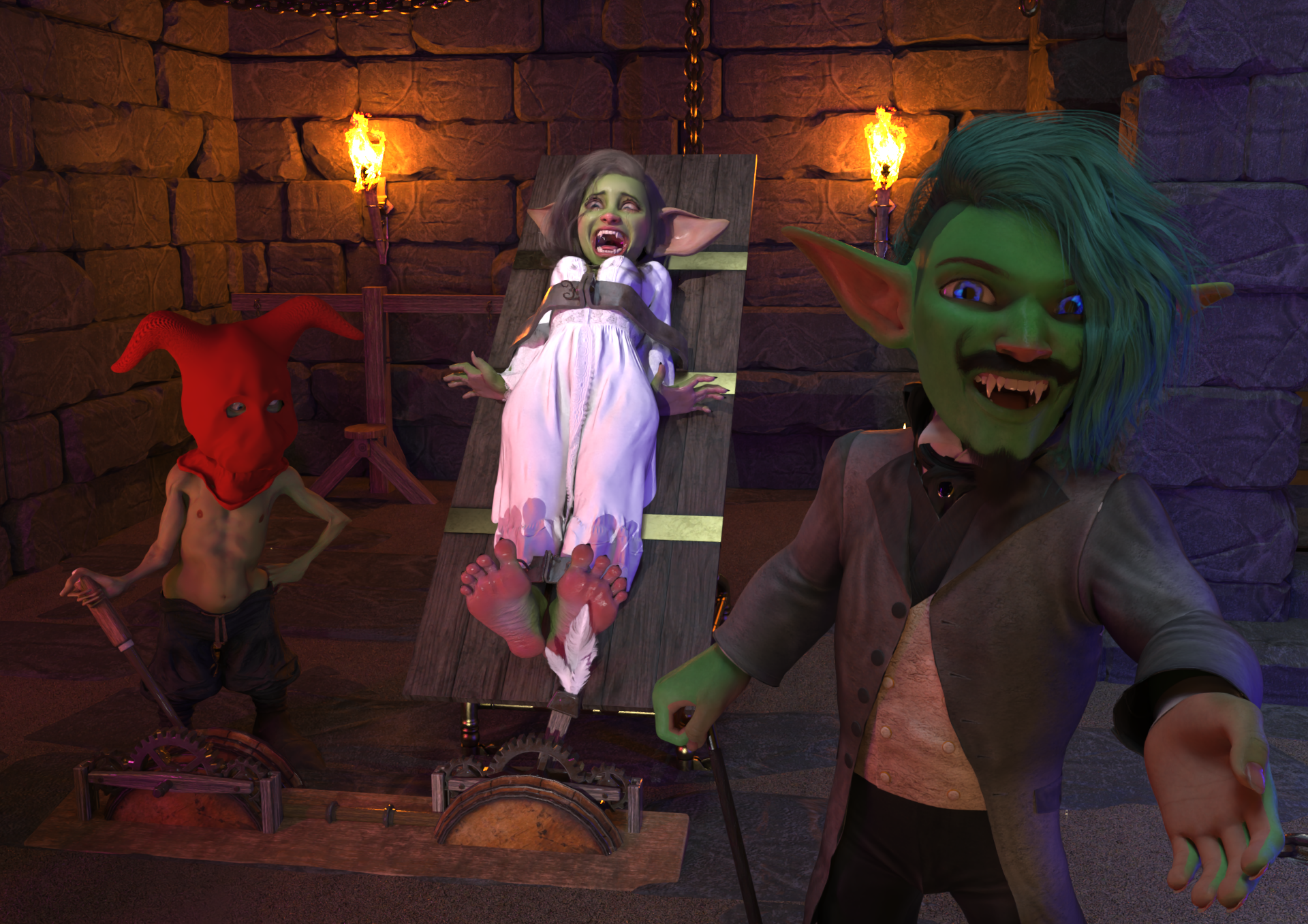
TA-DA! This is the render I would consider a base for later. This is a type of render that, after some color correction and a bit of fixing in Photoshop, would end up in my gallery.
But I take it a step further now, since we have AI tools.
Step 2: The one-click AI “make it good” thing—right?
Well... not in the slightest. Sorry for the sarcasm there. AI can be a one-click solution, but I want to show you how "human" it can be.
So this is the panel of Stable Diffusion—let me explain what is going on here:
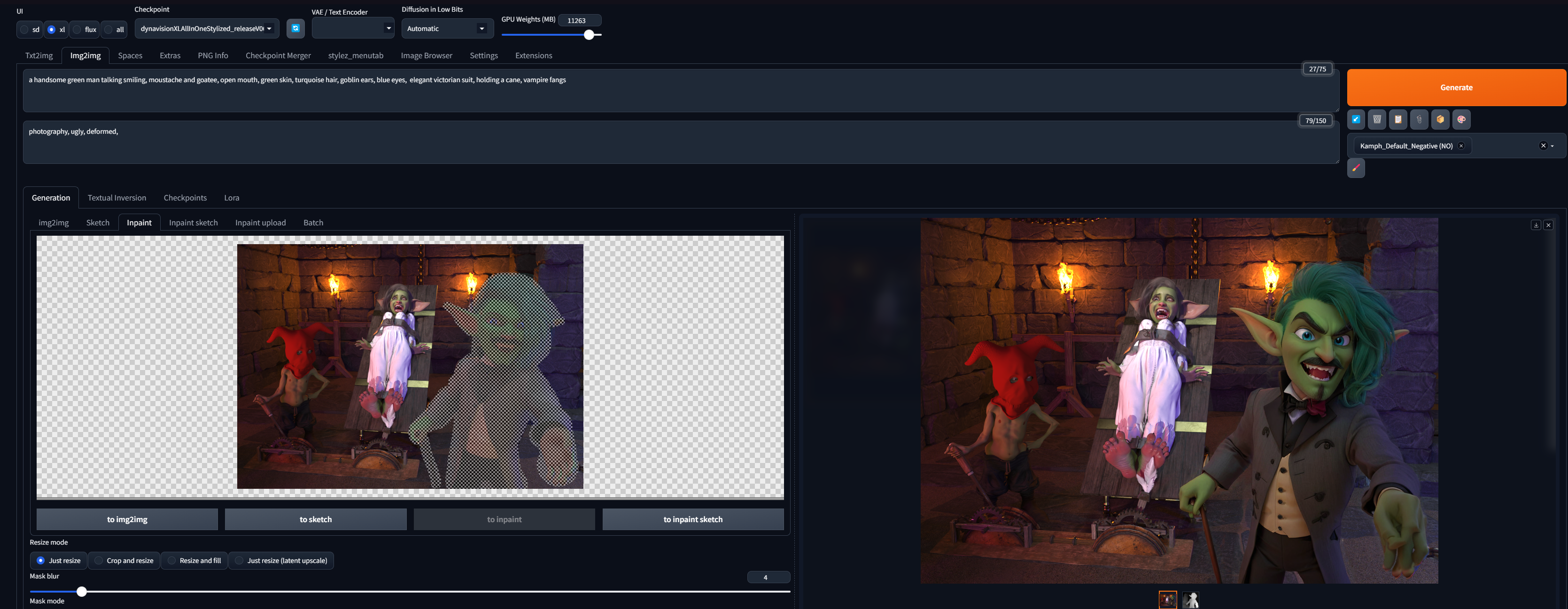
This is the Inpaint tab, which basically means that it will diffuse only over the part you hand-paint. I would like to point your attention to a couple of things here. First of all, as you can see, my render goes into the program as the base for diffusion.
Second is the prompt:
a handsome green man talking smiling, moustache and goatee, open mouth, green skin, turquoise hair, goblin ears, blue eyes, elegant victorian suit, holding a cane, vampire fangs
I know I use “handsome” in my prompt... let me have this, okay?
But I use simple prompts, not referring to any artist (in the style of XYZ). It's just a handsome green man. Sometimes I use a general style prompt like: Acrylic painting of..., Oli painting of, a comic book style image of... ect.
Then there are the settings:
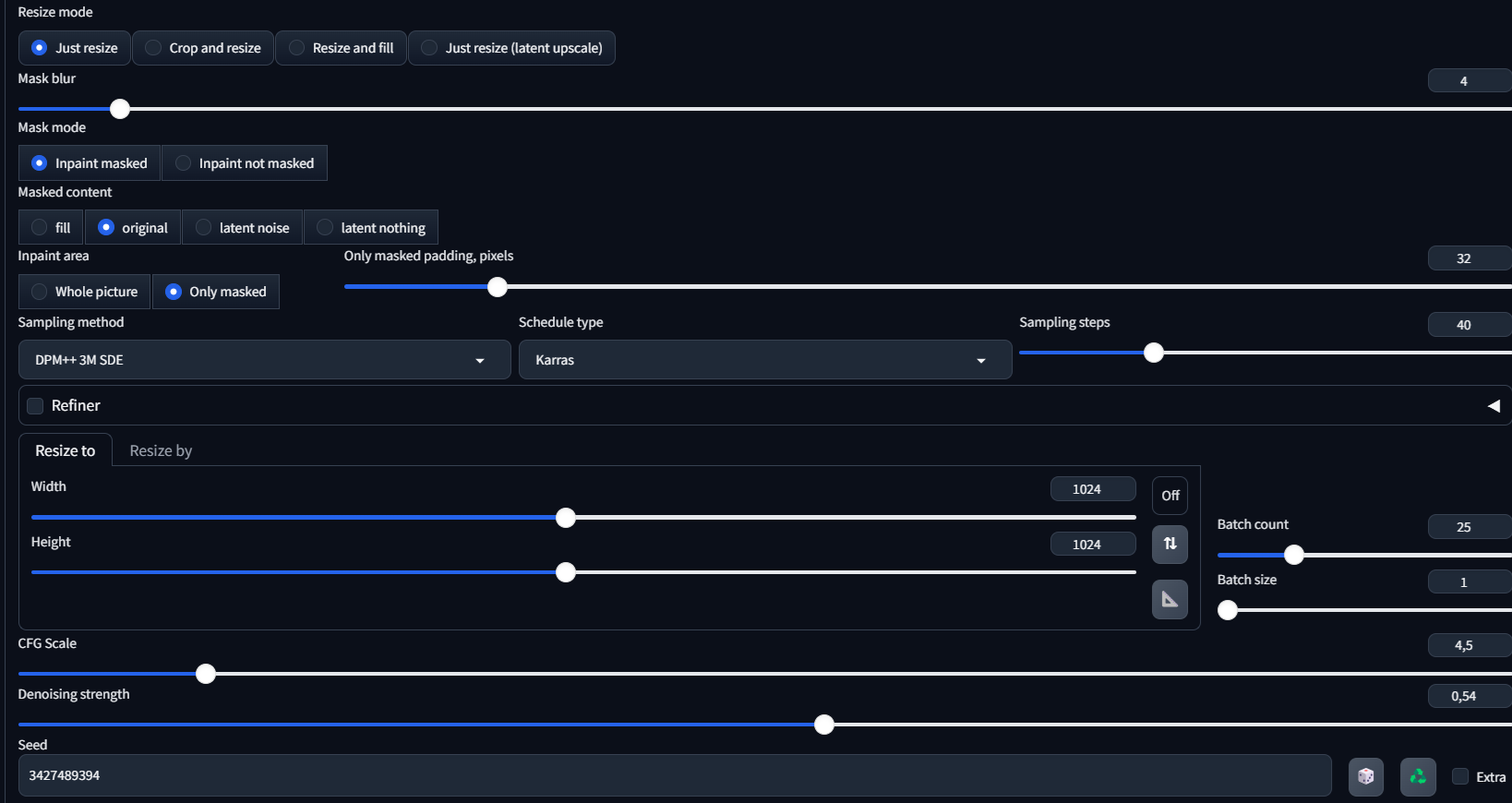
One thing that I want to point out here is the denoising strength, which is relatively low. For context: 0 is no diffusion (no changes); 1 is AI basically doing whatever it wants, ignoring the input from your image. I meet it halfway because if I went 100%, I would get this:
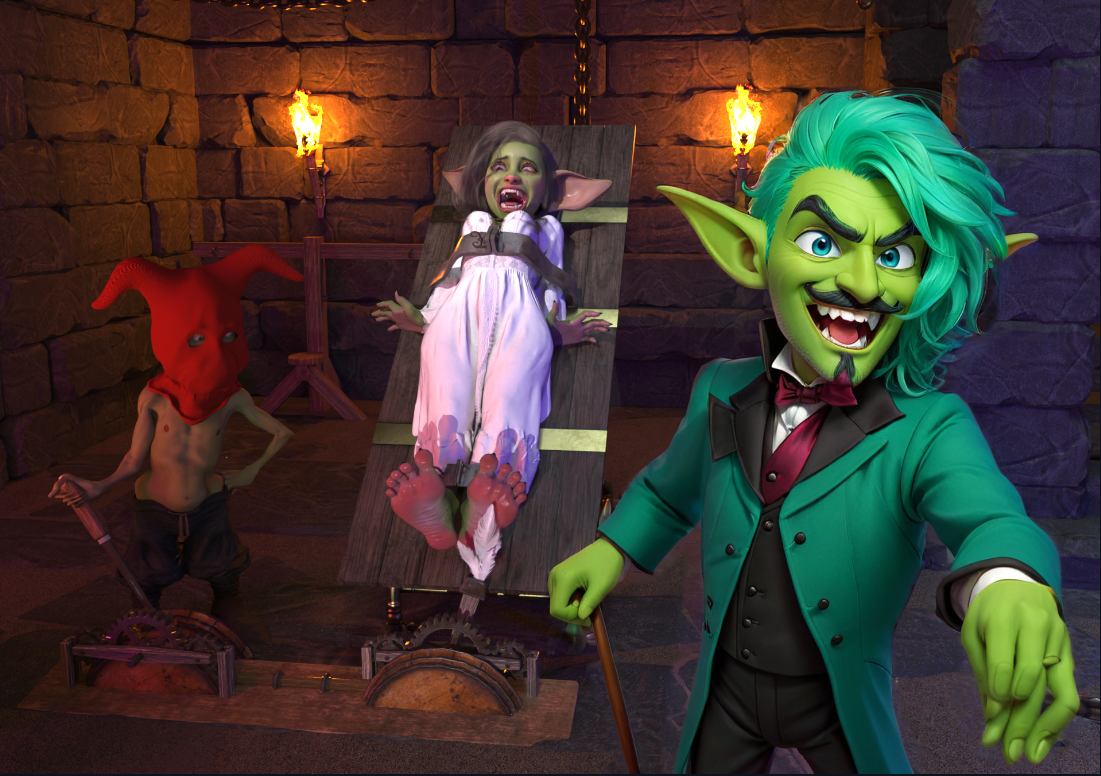
Well, all the light and the colors of the original are off, and I mean that hand! Chef's kiss.
The third thing is I always use ControlNet for SD:
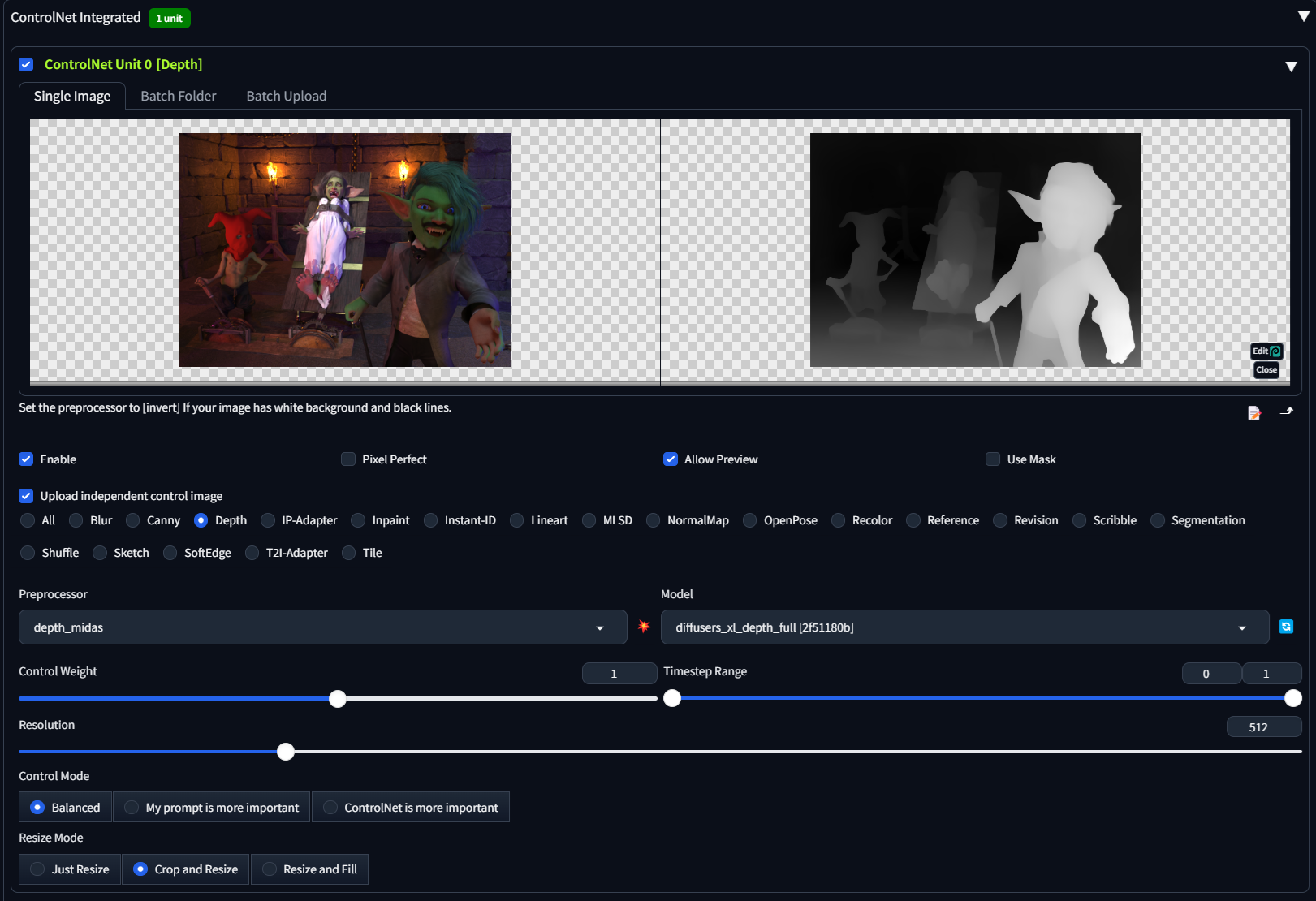
This uses my image as a reference for what things and what shapes are where (a depth map). That way, it still looks like what I rendered. Otherwise, if I turned this off, I would get this:
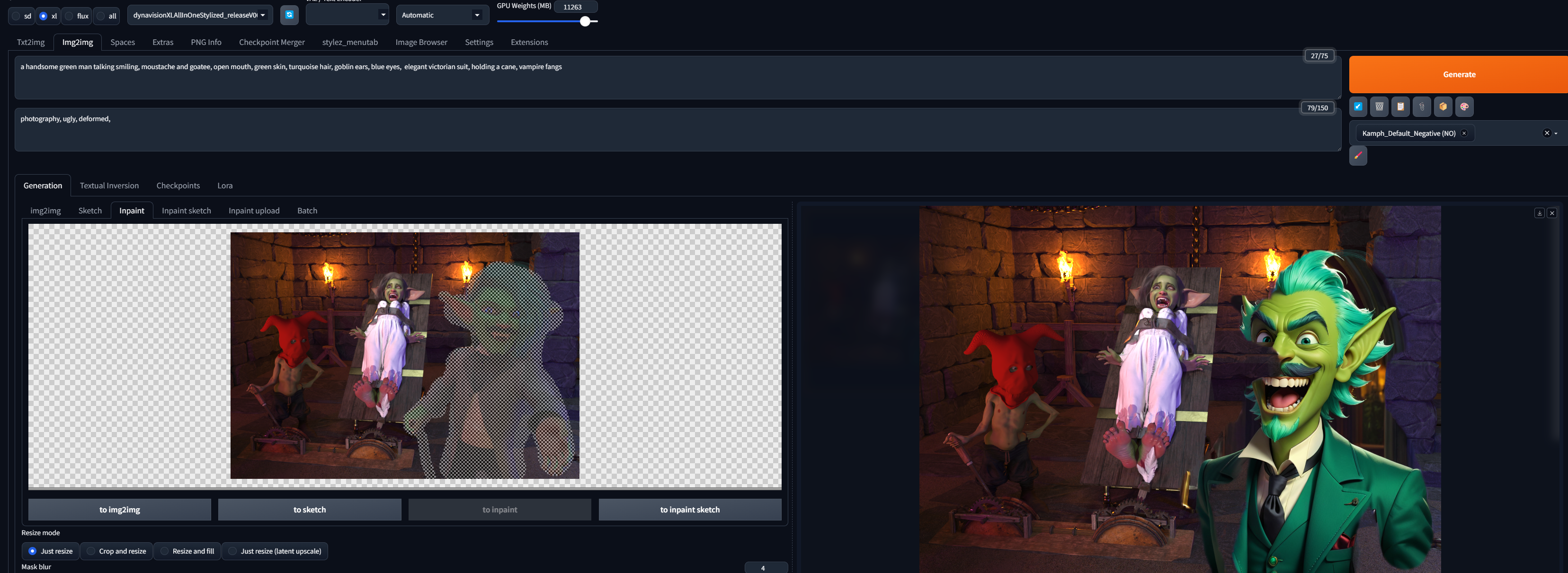
Yikes! Not what we want.
So you may say: "Oh, so he figured out the settings, and now it's just one click and it’s done." Well, yeah, that’s true... now all I have to do is click “Generate”:
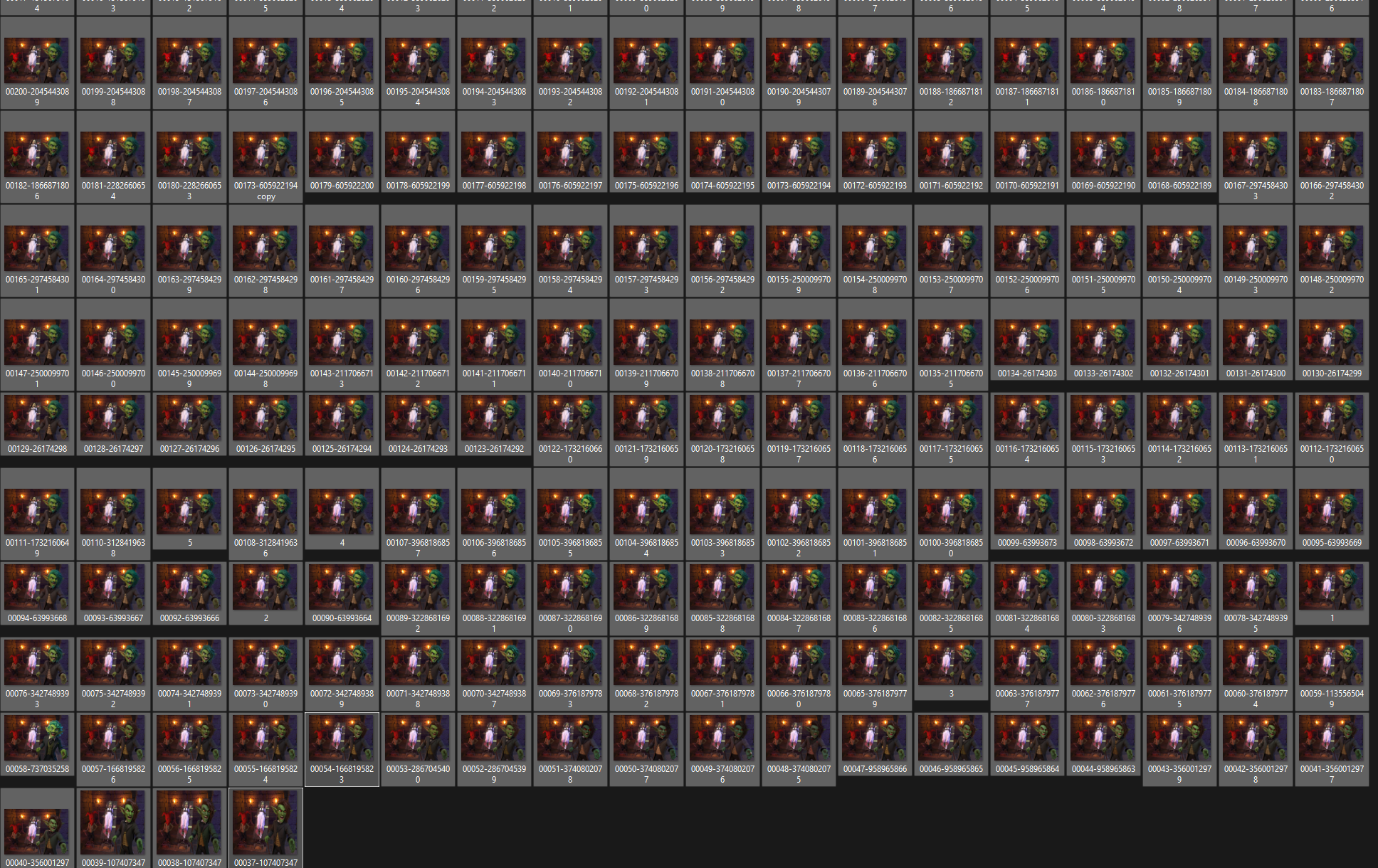
...about 60 times per one inpaint to get close to what I want.
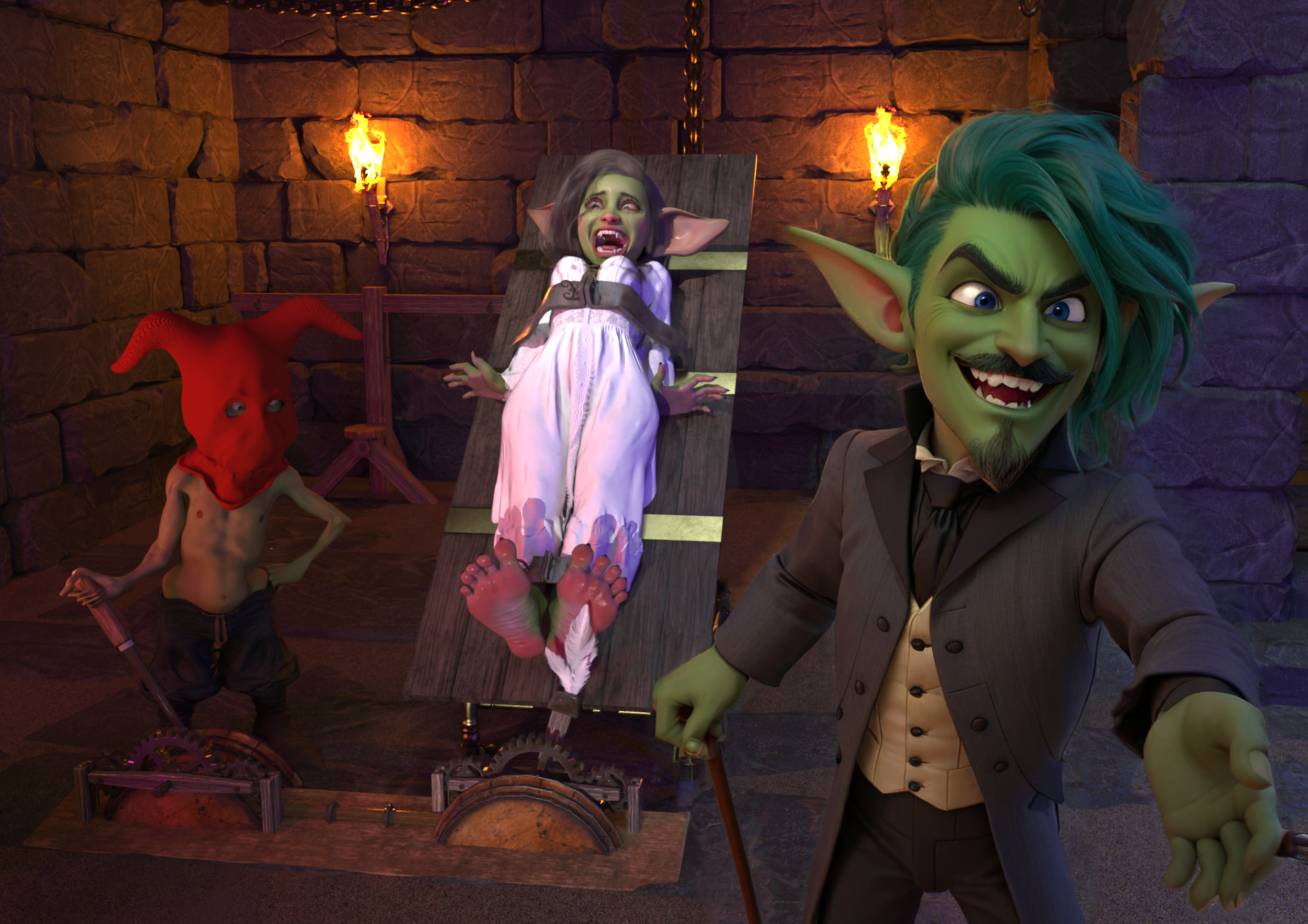
So this is the one I chose. It's good enough to start.
Once I have 3–4 (out of 60) versions inspected, I choose the closest one, and then I do it AGAIN—not for the rest of the characters, NO! Still for the handsome goblin man. I need to redo all the important parts by themselves: the face and the hair, just so it looks good:
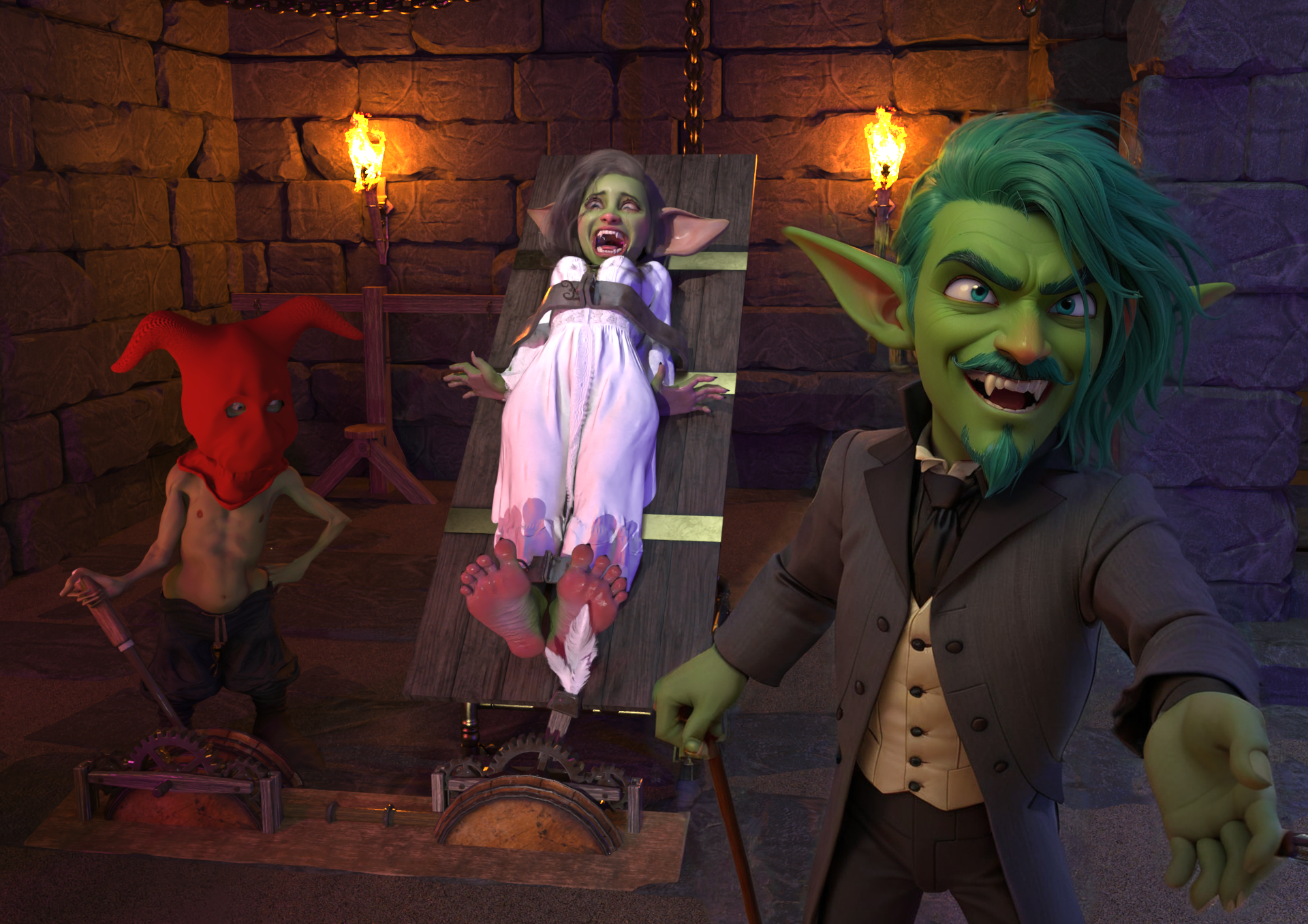
Now we are talking! But hey... his eyes are messed up. He was supposed to look into the camera. Well, I found it impossible to direct the eyes using AI... no prompts work. So I bring that image into Photoshop, and I manually fix the position of the eyes.
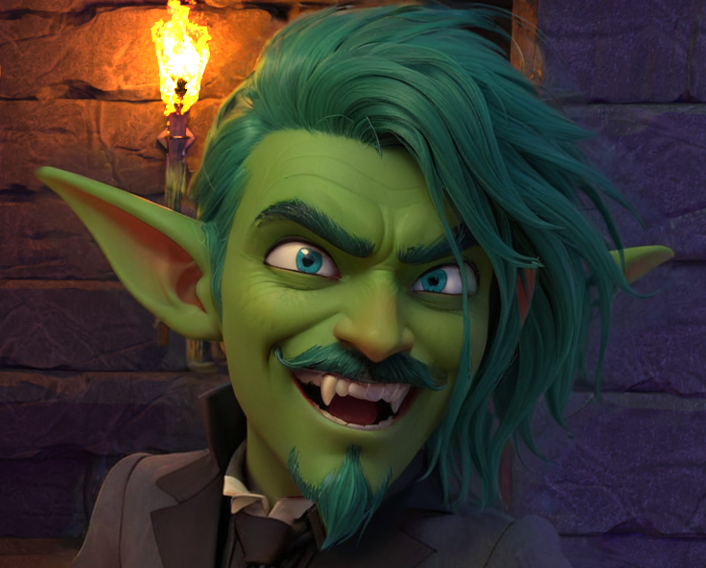
I fix some other stuff too while I'm at it like extra fingers (if they are any) and stuff like that. But that's not important.
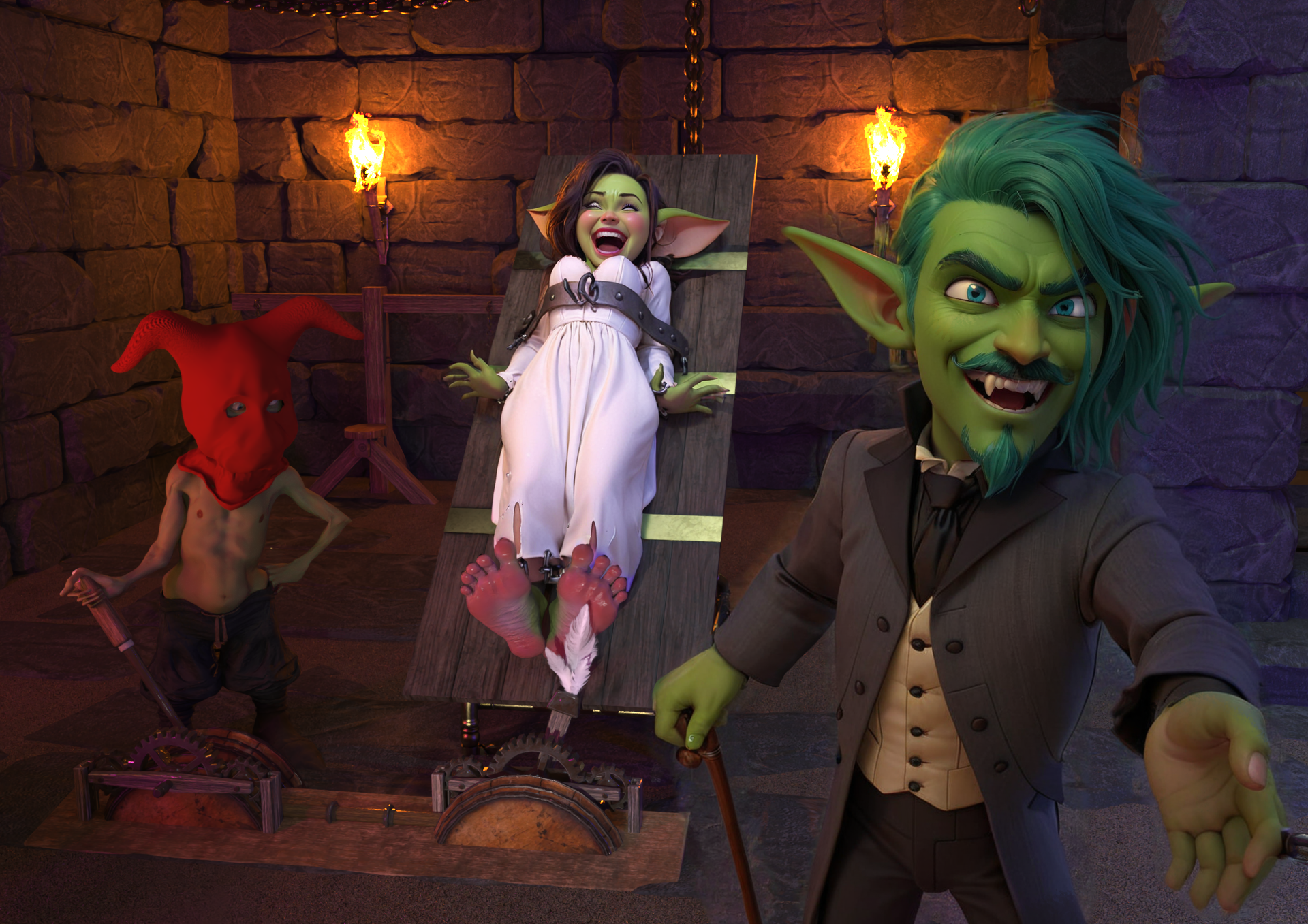
Now, my favorite part—which is the lady. I use my personal model, trained on her actual images, to make her look like she does. The one and only. But the process is basically the same for the rest of the image. Piece by piece, foot by foot, I diffuse over the image with hundreds of iterations at a time. This takes me around 5–6 hours of non-stop work (this does not include DAZ or Blender; this is just SD) till I get:
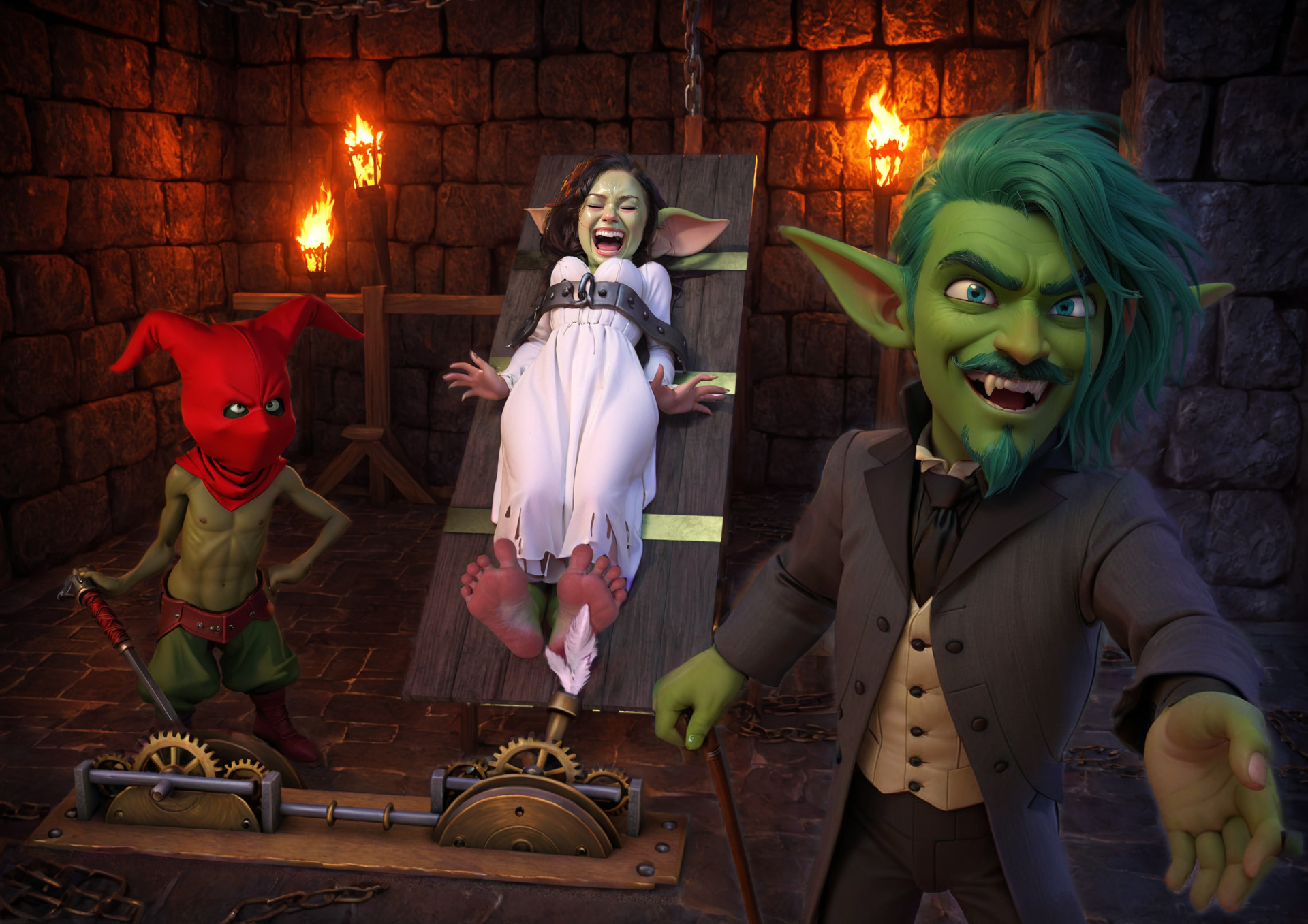
Step 3: Post work in Photoshop
This is the image that again goes into Photoshop, where I fix all the rest of the AI's extra fingers and weird chains on the floor, etc., adding the motion blurs and all the cool stuff to make it a bit more alive.
So that’s it. We went from this:
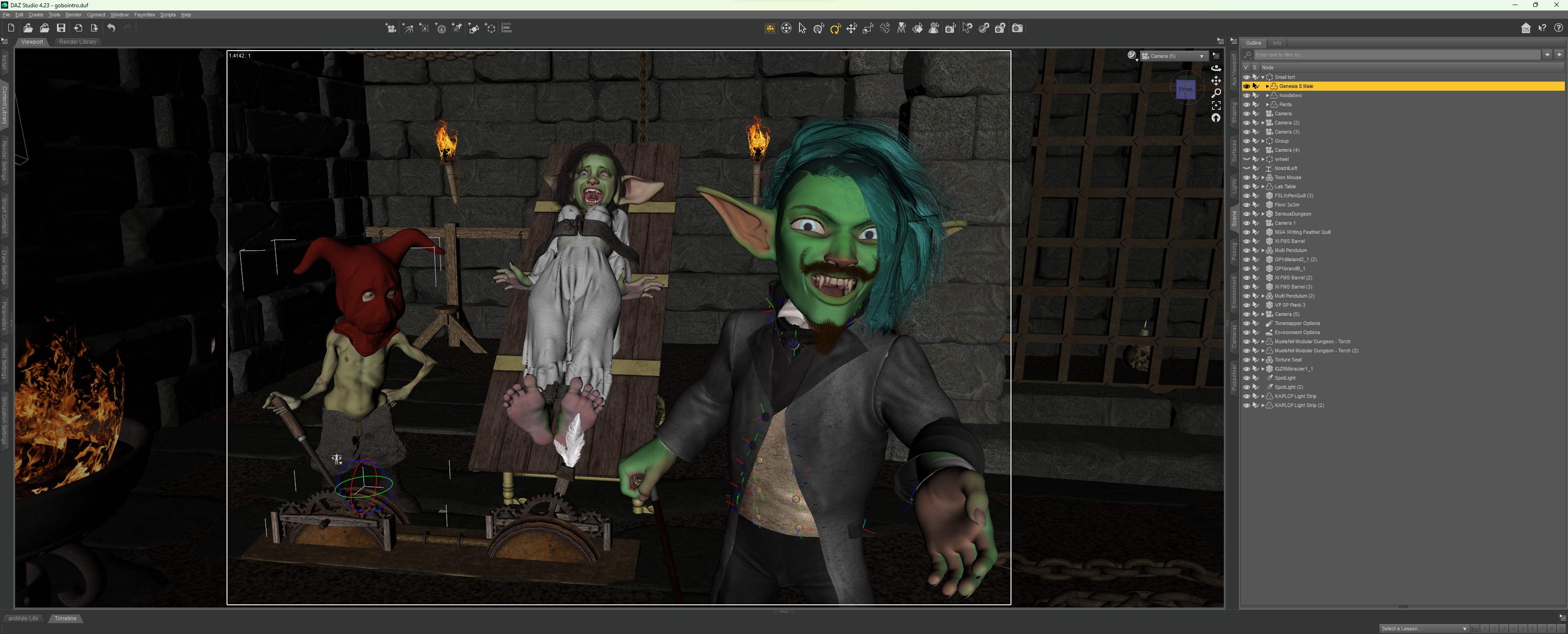
to this:
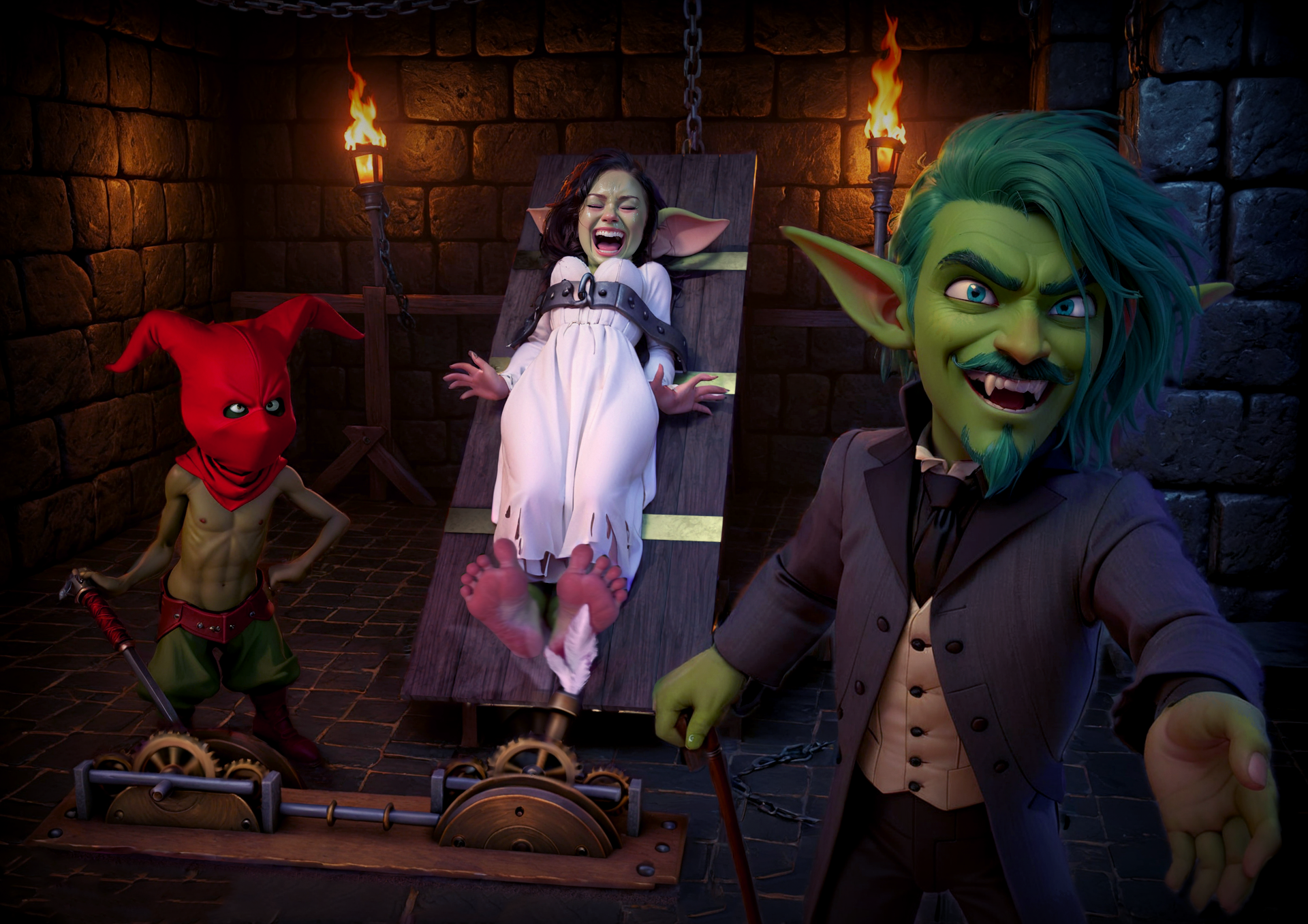
So there you have it. This image took me around 20 hours of work. I don't sleep very well, as you can imagine. I know that if you look at this post, it seems that most of the work is done in AI because I posted all those images from SD, but I want to assure you, the biggest and most important thing is a good DAZ base—which takes A LOT of time and skill. I don't want to toot my horn, but I've been learning DAZ for 12 years now, and I still don't know half of it.
Now I want to adress this issue of "why you won't tag your work as Created with AI tools" ... well by definition:
"DeviantArt defines art created using AI tools as artwork that is either made entirely with AI tools or consists primarily of AI-generated components."
I don't feel like this is the case and I don't want to tag it with that. This definition is a grey area and I choose to belive my work is 80% hand made, even if the tool is based in AI. I wouldn't use a tag "Created with Photoshop" either, because it is just not fair to all the sleepless nights I've spent making it. If someone feels this is insincere of me... well maybe. That's just my choice. If I replaced anything I did previously for AI then I would say that yeah... I used to make DAZ images now I do AI but the basis for my work has not changed at all, if anything, it made it even more complex and difficult.
I love how my art looks, I love AI tools, they allowed me to make my images just how I have them in my head, and if someone doesn't like the way the cookie is made... that's fine there is a million bakeries in this space alone.
I hope you enjoyed this post. If anybody would like to do what I do, I’m happy to answer any questions.
I love you guys and i appreciate your support. It means the world to me, and all I want is to provide you with the best work I can do—because you deserve the best.
Cheers, you magnificent bastards,
Yours truly.
Tony Orifici
2024-12-16 10:14:43 +0000 UTCRaz Toermentor
2024-12-10 14:15:42 +0000 UTCDouglas Klug
2024-12-10 14:02:06 +0000 UTC