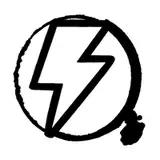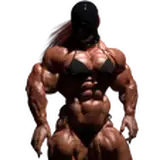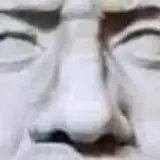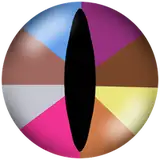
If you are interested to check the differences of the colors, I prepared two images in 4 different modes, a very bright and a quite dark one.
of each,
- the 1st is sRGB with embedded sRGB profile (as I will publish from now on)
- the 2nd is the same but without embedded profile (as Patreon publishes them in the stream)
- the 3rd is AdobeRGB with embedded AdobeRGB profile (as I edit it her, before converting it for publishing)
- the 4th is the same but without embedded profile
Looking at them on an sRGB device:
a) in a browser: 1, 2 and 3 look the same and correct, 4 looks dull
- 1 and 2 are sRGB, so they show correct with or color-management, as there s nothing to change anyway
- 3 is AdobeRGB but due to the embedded profile the browser adjusts it to sRGB
- 4 is AdobeRGB, but as it has no profile the browser cannot adjust it
b) in a un-managed photo viewer or phone gallery: 1 and 2 show correct, 3 and 4 look dull
- 1 and 2 are sRGB and don't need any adjustment, thus look correct
- 3 and 4 are AdobeRGB, but because the program does not use the profile both look dull
Looking at them on an AdobeRGB device:
a) using Firefox browser: 2 looks over-saturated; 1, 3 and 4 look correct
- 1 is correct because it's sRGB and has embedded sRGB profile
- 2 is sRGB but Firefox displays it as is because there is no profile, thus over-saturated
- 3 and 4 are AdobeRGB and thus look right no matter if with or without profile
b) using Chrome browser: 1, 2 and 3 look correct, 4 looks dull
- 1 is sRGB and the browser adjusts it to AdobeRGB due to the embedded profile
- 2 is sRGB but has no profile, but Chrome assumes that it is sRGB and thus does the same as in 1
- 3 is AdobeRGB with embedded profile, so no change is necessary and it displays correct
4 is AdobeRGB but without profile, but Chrome assumes it is sRGB and thus removes the assumed over-saturation to adjust t AdobeRGB and shows a dull result.
c) in a un-managed photo viewer: 1 and 2 look over-saturated, 3 and 4 look correct
- 1 and 2 are sRGB, thus over-saturated for AdobeRGB and the un-managed program shows them as is, thus over-saturated
- 3 and 4 are AdobeRGB, thus correct for this screen no matter if with or without profile
I know that this is only interesting for those who are interested in technical details, the background of my editing and my learning curve. But some might like it, especially when they themselves edit photos.
I promise that it will take quite a while, at least, that I talk such things here. Next are the complete series of the samples you saw here :-)