Was reuploaded after a few quick fixes. So if you had any issues then it might help to download again and see if they are fixed now.
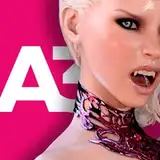
A slightly improved version of "The Beach Slut" scene but this time with Ms. Wills (character inspired by Ellie from TLOU 2)
Aside from a number of bug fixes that make the Sex Speed and Thrust Force controls work a little more like they should, as well as improvements to how the audio interacts with the speed and thrust force settings, it is mostly the same.
However this release does include some exciting new stuff.
Added a new (not anal) doggy-style sex animation. Turned the max speed up a little for this one, might be a little fast at that speed but I like the effect it has on the intensity of the sex.
Might increase max speed for other animations too in future releases.
Included in this release is a slider (at the bottom right of the screen when on the Facial 'Sperm Bath' scene) that allows you to tilt her head a little - allowing for slightly more control over the cum shooting action.
Known issues in this release
Not a huge problem but the hair is a little broken (especially if looking at the back or side of her head), seems to be caused by the the scalp not rendering the way it should, not too sure why but will definitely find a fix for it before the next release. (Game dev is so much fun 😂)
Not a bug but you won't be able to change the hair color for this character just yet, will need to update the model some more to support that soon.
Might be an issue with the cum and spit feature for some. Download again if that is the case as I've reuploaded after some quick fixes - but if it's still not working for you, then let me know.
=========================
That's all for this release.. 😜
Enjoy.
Dev
===
For MacOS users:
=========================================================================
For anyone downloading the MacOS version, you will need to do the following after downloading:
Unzip the 7Zip compressed file (might need to download 7Zip)
Place the MsWillsTheBeachSlut_MacOS.app on the Desktop
Open the Terminal app on your Mac
Then type in the following line below and hit Enter:
chmod +x /Users/YourUsernameGoesHere/Desktop/MsWillsTheBeachSlut_MacOS.app/Contents/MacOS/PhotoRealX
After doing the above, double clicking on the executable might bring up a pop up saying something to the effect of “this app doesn’t have permission from the creator” or “Apple doesn’t have permission to open”.
Click 'Ok' and open the setting, go to Privacy & settings and if you scroll down it will say “allow app to run”. click 'Ok' and the app will open.
(thanks to beanmighty_4728 for your help on this!)
m_m518
2024-10-26 12:47:19 +0000 UTCJiggle King
2024-10-25 20:13:49 +0000 UTCJonathan
2024-10-25 20:00:19 +0000 UTCJiggle King
2024-10-24 18:11:27 +0000 UTCJiggle King
2024-10-24 18:01:22 +0000 UTCMasterDeGun
2024-10-24 17:38:35 +0000 UTCJoe
2024-10-24 16:09:47 +0000 UTCJiggle King
2024-10-24 16:09:26 +0000 UTCDeyan Georgiev
2024-10-24 16:03:45 +0000 UTC