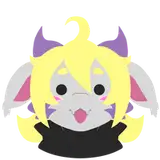
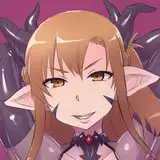
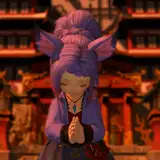
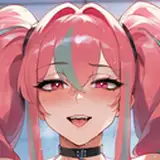
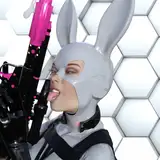
Kali
Added 2024-09-19 01:43:12 +0000 UTC
Kali Standard / Kali Full
Kali
More preview images can be found on my Jinxxy or Booth
Features
- Face Tracking
- Physbones
- Twist Bones for the Elbows and Wrists
- 12 Unique Facial Expressions
- Black or White Outfit Option
- Color, Hue, Saturation, Emission Sliders for Eyes and Hair
- Body Shine Slider
- Avatar Brightness Slider
- Outline Toggles
- Toggleable Outfits
- Toggleable Horns and Tail
- Front Hair Toggles
- Back Hair Toggles
Requirements
How to Upload
- Head to VRChat website and download and Install the VRChat Creator Companion
- In the Creator Companion go to the projects tab and click "Create New Project"
- Select "Avatar" template and name the project anything you'd like and click "Create Project"
- In Manage Project add the latest VRCFury
- add VRCFT - Jerry's Templates Version 6.2.1 (make sure it is set to version 6.2.1)
- Open the project and Import the latest Poiyomi Toon Shader
- Import the "Kali by Badyr" Unity Package
- Navigate to the "Badyr Kali" folder and open the provided scene file "Kali OPENME"
- Open the VRChat SDK Control panel and login
- In the Builder tab select the version of the avatar you wish to upload
- Click on "Build and Publish for Windows" set avatar as Private and Upload
Credits
VRCFury
GoGo Loco
VRCFT - Jerrys Template
Everything else is made from scratch by me
Huge thanks to:
Sov - Unity Setup
Xela_fi - General feedback
Terms of Sale
- Do not redistribute under any circumstances
- Do not take parts off of this product to use in commissions or otherwise for commercial use
- Do not claim this work as your own
- If you use this model on streaming / social media platforms / advertisements, you must credit this Gumroad page
- You are allowed and are encouraged to use any pieces of this model on your own PRIVATE models! (for your use only)
- You cannot make this model public or put any of its parts on a public model.
- These rules are subject to change
if you have any questions or issues on the model please feel free to message @badyremoji on discord.


Head to the VRChat website and download and Install the VRChat Creator Companion
In the Creator Companion go to the projects tab and click "Create New Project"
Select "Avatar" template and name the project anything you'd like and click "Create Project"
In Manage Project add the following packages:
latest Version of VRCFury or 1.1218.0
latest Version of VRCFT - Jerry's Templates or 6.7.0
latest Version of Poiyomi Toon Shader or 9.1.25
Once all packages are imported open the project
Import the "Kali by Badyr V1.2" Unity Package
Navigate to the Assets folder and open the provided scene file "OPENME"
Open the VRChat SDK Control panel and login
In the Builder tab select the version of the avatar you wish to upload
Click on "Build and Publish for Windows" set avatar as Private and Upload

Do not redistribute under any circumstances
Do not take parts off of this product to use in commissions or otherwise for commercial use
Do not claim this work as your own
If you use this model on streaming / social media platforms / advertisements, you must credit this Jinxxy page
You are allowed and are encouraged to use any pieces of this model on your own PRIVATE models! (for your use only)
You cannot make this model public or put any of its parts on a public model.
These rules are subject to change
If you have any questions or issues on the model please feel free to message @Badyremoji on discord.