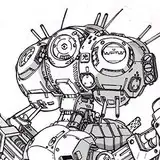
Introducing Roblox Starter Rigs, which will match all your needs when making gfx, whether you are a beginner at gfx or experienced.
It includes the following:
When you import the rigs, you'll notice stars near the limbs and a cog on top of the head. The cog is the main setting, and the stars are the limb settings. Click on a star of your choice or the cog in pose mode.
Press "N" to open the N panel & find the properties tab inside the "Item" tab. Collapse the properties tab, and the settings should appear there.
The limb settings include:
The main setting includes:
These rigs also include an add-on that you can install in Blender, It'll let you import the rigs by just selecting them in the menu, without having to go through the hassle of appending the rigs manually.
To install the addon:
For those who don't trust add-ons, you can simply unzip the file & manually append the rigs in the "Roblox Starter Rigs" folder.
NOTE: redistributing or reselling the rigs if modified or at a price is PROHIBITED.
These rigs can be used for both personal & commercial purposes
For any major bugs/issues regarding the rigs, please message @SoftGB or @ChillingParibes on Twitter. Fan Art by @JuanArtxz