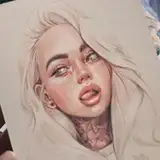
Hi Everyone!
I can't belive tomorrow will be the last day of the 2021! I'm still in 2020 mentally 🙄
Sorry for sharing the Video so late but I had some technical issues:
A) I lost some footage (don't know how!) but luckily I was able to combine time-lapse and screen recordings.
B) My microphone stopped working few times (again - no idea how) so it's a mix of voiceovers and my actual comments when drawing 😅
It should be much easier soon because I received a subsidy to set up a company and in January I am buying a computer, camera, studio light and a microphone! Yay! 🤖
It's a shorter video but I wanted to check what you think about such condensed Step By Step process. If you have any questions or suggestions let me know! If something was unclear, I'll be happy to respond here 🤗
🥨 HERE ARE SOME ADDITIONAL, HELPFUL TIPS IF YOU'RE USING PROCREATE:
- SHORTCUT ON CHECKING THE VALUES (iPad Screen Greyscale)
- CUSTOMIZING QUICK MENU in Procreate
🧁 HERE'S THE COMPLETE LIST OF BRUSHES I USED IN THIS STUDY:

THANK YOU ALL SO MUCH FOR THE HUGE SUPPORT THIS YEAR!
Love you all 🧡🧡🧡
Gaby
Doodl.Artist Jessi
2022-06-28 19:34:57 +0000 UTC