Some fairly simple free designs for Morghus' VRChat hoodie in the theme of Furality Somna. Includes sets of materials and standalone textures.
The materials utilize Furality's Somna shader, but the shader is not included and must be installed separately to your project before using the materials.
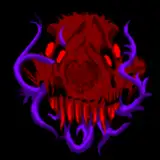
There are four sigil designs, each with a blue and purple base variant:
(Small note: If your hoodie appears a funny color in VRChat or within Unity's play mode, there may be a hue slider affecting your hoodie. You may want to consider altering or removing that toggle.)
© Morghus for the hoodie.
© Furality, Inc. for the shader, sigils, and constellations.
© Japan Shrine VRChat world by RootGentle.
This is also available on my Ko-Fi.
Thanks for downloading the hoodie retexture!
I hope you like it! Feel free to come back and leave a rating if you ended up enjoying this!
Grab any one of Morghus' hoodies for your specified avatar: https://morghus.gumroad.com
Install the Furality Somna shader into your Unity project: https://furality.org/somna/assets
Drag and drop any one of the downloaded Unity packages onto your Unity project's "assets" folder. Click "install" on the pop-up window.
Go to the materials folder of the hoodie, find the applicable material and drag it directly onto your hoodie in your scene. You should be good to upload now!
(Small note: If your hoodie appears a funny color in VRChat or within Unity's play mode, there may be a hue slider affecting your hoodie. You may want to consider altering or removing that toggle.)
The sole Unity package with all sigil variants included. Drag and drop the package onto your Unity project and click "install" on the pop-up window:
If you would rather pick your downloaded sigil designs, I've separated them into individual Unity packages. Drag and drop your selected package onto your Unity project and click "install" on the pop-up window.
Here's the main textures for you to mess around with on your own.
And here's zip downloads of the packages and textures, if you would rather grab these.
© Morghus for the hoodie.
© Furality, Inc. for the shader, sigils, and constellations.