[Progresswork] Bright Blaze
Added 2023-10-07 20:35:13 +0000 UTC
I am not a big fan of the recent Patreon reworks, but they did lead to me finding out about some posts that were meant to be scheduled and either did not post, or I mishandled their setting somehow, so I will comb through them and get them up.
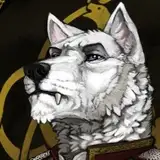
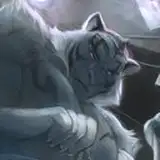
I've been a big fan of shaman Brightblaze ever since he appeared in That One Meta of Grothmar Valley, and when I was searching for a topic to paint during one of the official ANet streams, I just thought this might be a good idea.
Finished: https://www.patreon.com/posts/64105937
Timelapse video: https://www.patreon.com/posts/64205706

- 1) The original, very loose sketch. I was trying to work at decent speed, since I did not pre-prime the canvas before the stream or anything, and even though I usually suck at working under that kind of time constraint, it ended up working out. I also like the speed gave the sketch a better sense of flow and movement. It ended up not being entirely preserved in the entire painting, but at least the basis remains.
- 2) Some 90 minutes later, I was left with a very rough color sketch. I mostly focused on getting the face to a recognizeable shape to show a bit more of my process on-stream than I normally would. This is where the stream ended and I left the piece alone for some time. (I don't really recall how long, but it was definitely a couple of months at least).
- 3) Coming back to it in February 2022 meant the benefit of hindsight, so I went on to fix the most eggregious errors I could see in the original rough draft. I also went to fetch an actual in-game reference this time (since I did not have to juggle stream screensharing) and redrafted Brightblaze's armor to the actual appropriate model instead of sketching it out from memory.
I also replaced the random stick by the appropriate Flamewalker staff so Brightblaze can start looking like a Flame shaman instead of an overagitated wandering monk.
- 4) Refining the piece further, I started working on the anatomy details. This is where I comit to things like general expression and most of the anatomy. Whenever I draw animals or animalistic characters, the eyes and nose especially get most of my attention, since I usually want to draw the eye of the beholder to where it wants to go by default, i.e. to read the character's face.
This is also where my Photoshop crashed, with the last point of saving being before I started detailing the face. Instead of repainting it, I went to the recording I was making and spliced the face in from available footage. Even with sharpening and further details, it is still in visibly lower resolution and slightly smudgy in full res, which irks me to this day, but not much I can do about that short of repainting it hair by hair.
- 5) With the groundwork on the body done, it was time to turn to armor. Or rather... whatever it is the Flame Legion considers "armor". I both get and don't get why one would decide to wear a layered series of potato sacks when setting themselves on fire on a regular basis, but I know for certain that the texture is not exactly easy on the wrist when it comes to painting.
- 6) With everything major set, I finish the flames in the background and then it's time to make a new layer on top of it all and start with an overall detail pass on the whole character. More fur, more loose threads, metalwork and other small details all get added in this face as well as some final anatomy and structure fixes.
- 7) „Painting“ being done, all that's left is adding effects and finetune colors and light. This piece is a lot more light- and effects-intensive than a lot of the others I do, and it did get skewed way too much into the greenish-brown spectrum while painting, so I also readd some of the blue and red hues that were lost and make the fire shine properly.
Just to give you a rough idea: these are all the layers added "on top" between the last two steps of the process. There's light and color corrections, some sharpness adjustments and contrast added just enough (note the opacity of the top layer is just 15%) to make the colors pop. There's a very neat trick to make light sources "light up" by actually just sucking off the opposite-spectrum color from the area (that is what layer 58 does with its random blue smears). It works with strong light in general, not just fire, but I especially like to use it whenever I need to spice up a torch or two.

And that's it, that's how you paint a Flame shaman.
I hope this was somewhat insightful or at least entertaining. Thank you for your patience and kind support.
Stay safe and see you in the next one.
![[Progresswork] Bright Blaze](https://img5.samukata.com/storage/8/xs/rm/4e9b88-019e8530-027e-75c5-9942-66457715e2d3.jpg)
![[Progresswork] Bright Blaze](https://img10.samukata.com/storage/5/at/ex/4e9b88-019e8530-0280-7517-9953-49ae6f3ddf8c.jpg)
![[Progresswork] Bright Blaze](https://img5.samukata.com/storage/7/zp/vv/4e9b88-019e8530-0280-7cd3-aac4-8f348e299b85.jpg)
![[Progresswork] Bright Blaze](https://img5.samukata.com/storage/11/rt/ue/4e9b88-019e8530-0287-7fdd-ba37-ea1f9fe22fa3.jpg)
![[Progresswork] Bright Blaze](https://img5.samukata.com/storage/9/ua/ww/4e9b88-019e8530-028f-7b66-9970-836035dc7a8f.jpg)
![[Progresswork] Bright Blaze](https://img10.samukata.com/storage/5/eo/tl/4e9b88-019e8530-029d-7c98-8e4e-32469e9ba1b8.jpg)
![[Progresswork] Bright Blaze](https://img10.samukata.com/storage/12/og/sr/4e9b88-019e8530-02b1-77c5-8dfd-aade1f6cbb36.jpg)
![[Progresswork] Bright Blaze](https://img10.samukata.com/storage/12/ya/hs/4e9b88-019e8530-02be-76be-9102-5dadc7ae6977.jpg)
![[Progresswork] Bright Blaze](https://img5.samukata.com/storage/8/so/il/4e9b88-019e8530-02c4-73e0-aed2-cce6cfc46e8c.jpg)