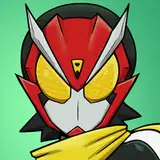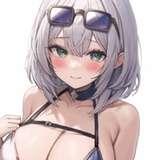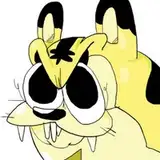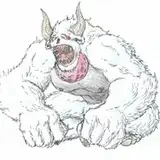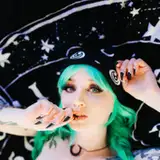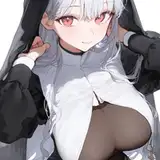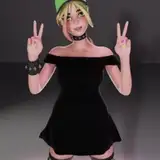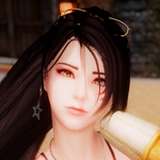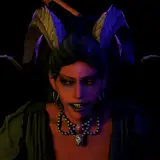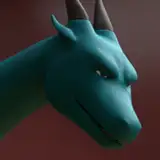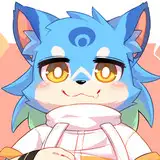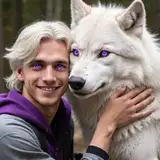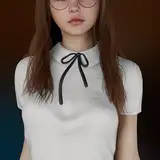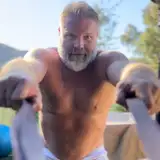
Finally got that eye-tracking setup you've been dreaming of, but then realized you're too shy to actually have people see where you're looking? Keep dreaming that you're an English sheepdog with practically invisible eyes? Now you can have too much hair to be able to see anything, too!
This asset was made to fit the Novabeast but can easily be resized to fit any avatar.
Setup assumes VRCFury but can be installed the oldschool way as well. The content page available after purchase has my contact info in case you need support 🩹!
* If you have tried upgrading your Unity 2019 avatar using the Creator Companion but are encountering major issues doing so, I may be able to provide a 2019 unitypackage. Please contact me.
⚠ Photo gallery is for illustrative purposes only. Avatar and other assets are sold separately. ⚠
✅ You may use on public avatars if you provide a link to this page in the description
✅ You may use this asset for personal, non-commercial purposes
✅ You may commission or sell texture commissions based off of this asset. Both parties must own the asset.
❌ You may not share or sell the unitypackage, FBX, or other files from this asset
Make sure that VRCFury 1.751.0 or newer is imported into your project.
If you have trouble installing or updating VRCFury to an existing project (and have exhausted the different methods listed on VRCFury's site), it's easiest to just use the Creator Companion to create a fresh project with VRCFury included, then add back additional packages and assets. Once you have the needed packages, you can generally copy-and-paste assets with both your old and new project open simultaneously, or create a .unitypackage from your old project, then import it into the new one.
Although the Unity's 'Standard' shader will work just fine, I prefer to use Poiyomi. Here's how to get it.
If you wish to get a more-recent version of Poiyomi Toon you can visit their release page.
You may need to do this if you have a slightly different version of Poiyomi from the one used to create the dress asset OR if you prefer to simply use the Standard shader or another shader of your choice. If the asset imports textureless (usually pink) you'll need to do this:
Try it out! The hair will be off by default, and can be turned on using the radial Expressions menu under Hair -> Nova Front Hair.
... If you wish to detach the hair from your avatar, you can delete the "NovaBangs Prefab" object from the scene hierarchy or just drag it off of the avatar into the scene root.
THIS IS A DIGITAL PRODUCT AND NOT REFUNDABLE.
2024-02-26 — First posting
If you have any issues, you can add my Discord: flormoo
⚠ Note! Though I'll try and be as quick as possible, I can't guarantee an immediate reply; I am periodically unavailable and will get back to when I can.
If you don't have Discord, you can also reach out to me on Twitter, though my responses are guaranteed to be slow there.
Hope you enjoy the item! Please rate this product once you've set it up and tried it!
Changelog
2024-02-26
First posting