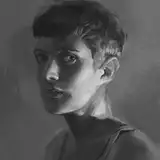
A little tutorial video and PSD explaining how and why I do so many screenshot studies!
Extra Notes
The layer mode blending technique I use to make textures more visible in some areas and not in others is called 'blend if'. It's very powerful and if you haven't tried it before I recommend playing with it. Here's a good tutorial on the basics: https://www.youtube.com/watch?v=yAMXBYx0r5g
The CC0 textures I use are from https://texturelabs.org/, a great free resource.
I mostly get screenshots from https://film-grab.com/
My final touch process is as follows:
Create a merged layer copy on top (in Photoshop ctrl+alt+shift+E)
Duplicate it
Add a Gaussian blur that's moderate to strong depending on your taste
Add a colored noise filter
Blur again just a little to get rid of the pixelated look
Mask the blur out in most areas, leaving it in only the parts that you want to have a little more softness such as far bg, certain edges, deep shadows etc.
Duplicate your merged layer again and use either Unsharp Mask filter or Smart Sharpen filter to bring out the crispiness and texture
If anyone needs a detailed tutorial just let me know I can go through all the menus and so on!
Happy Holidays all :D