VRCraft 2.0: Minecraft in VRChat
Added 2023-12-12 18:19:43 +0000 UTC
Test this package includes both avatar and prefab
Have you always wanted to play minecraft with your friends in VR?
This Avatar lets you Build together with your friends inside Vrchat.
Take your blocks and put your building skils to work
I'm planning several new functions for this avatar, so always stay tuned for updates ;D
*note: the build system is only available on PC
-🧊Avatar Features🧊-
interactive menu and Building System

- Grid Construction
- Block Rotation
- Functional Torches
Build together
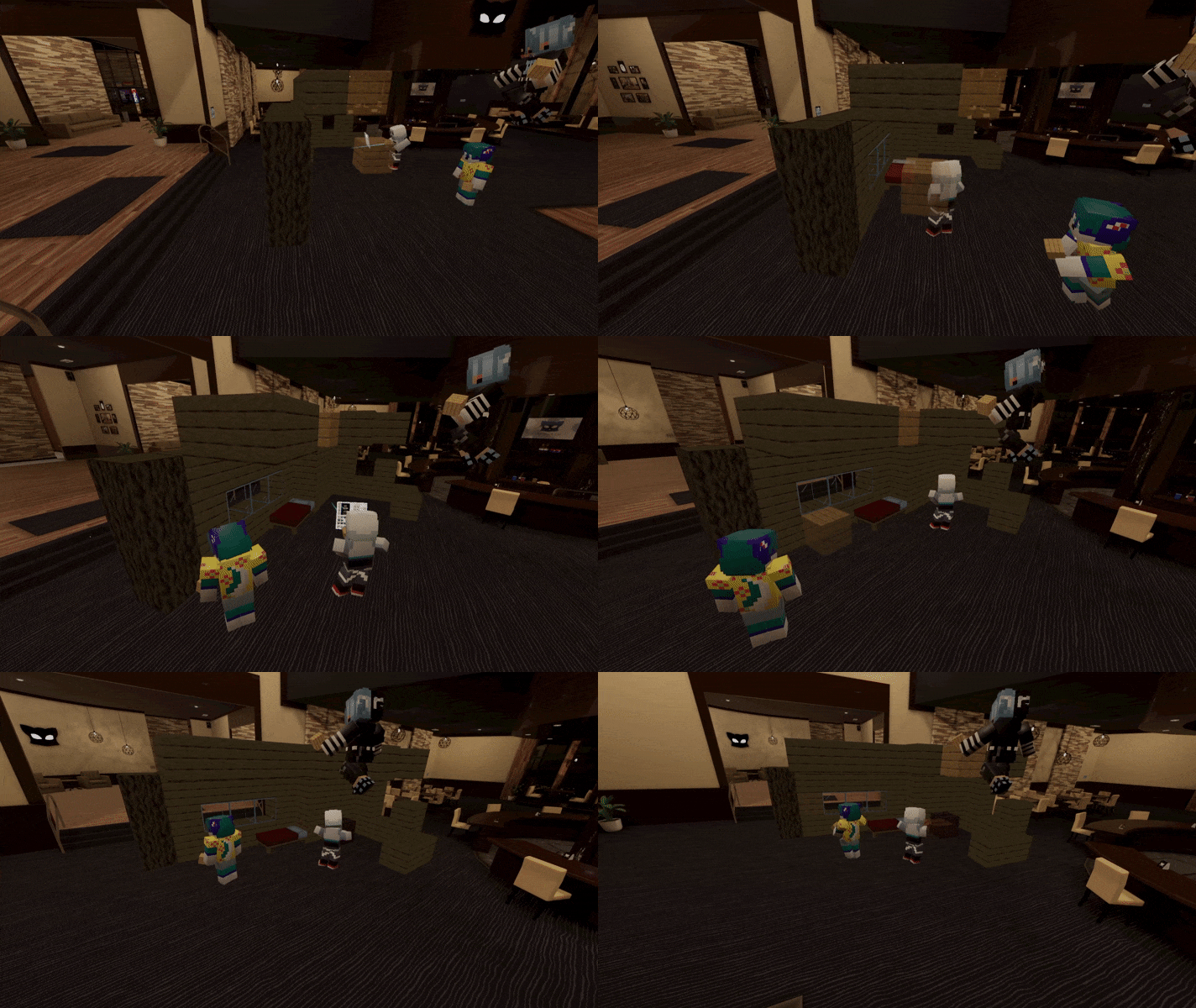
- Advanced Grid Sync System
- Break Others Players Blocks
An entire Inventory of Blocks and Items
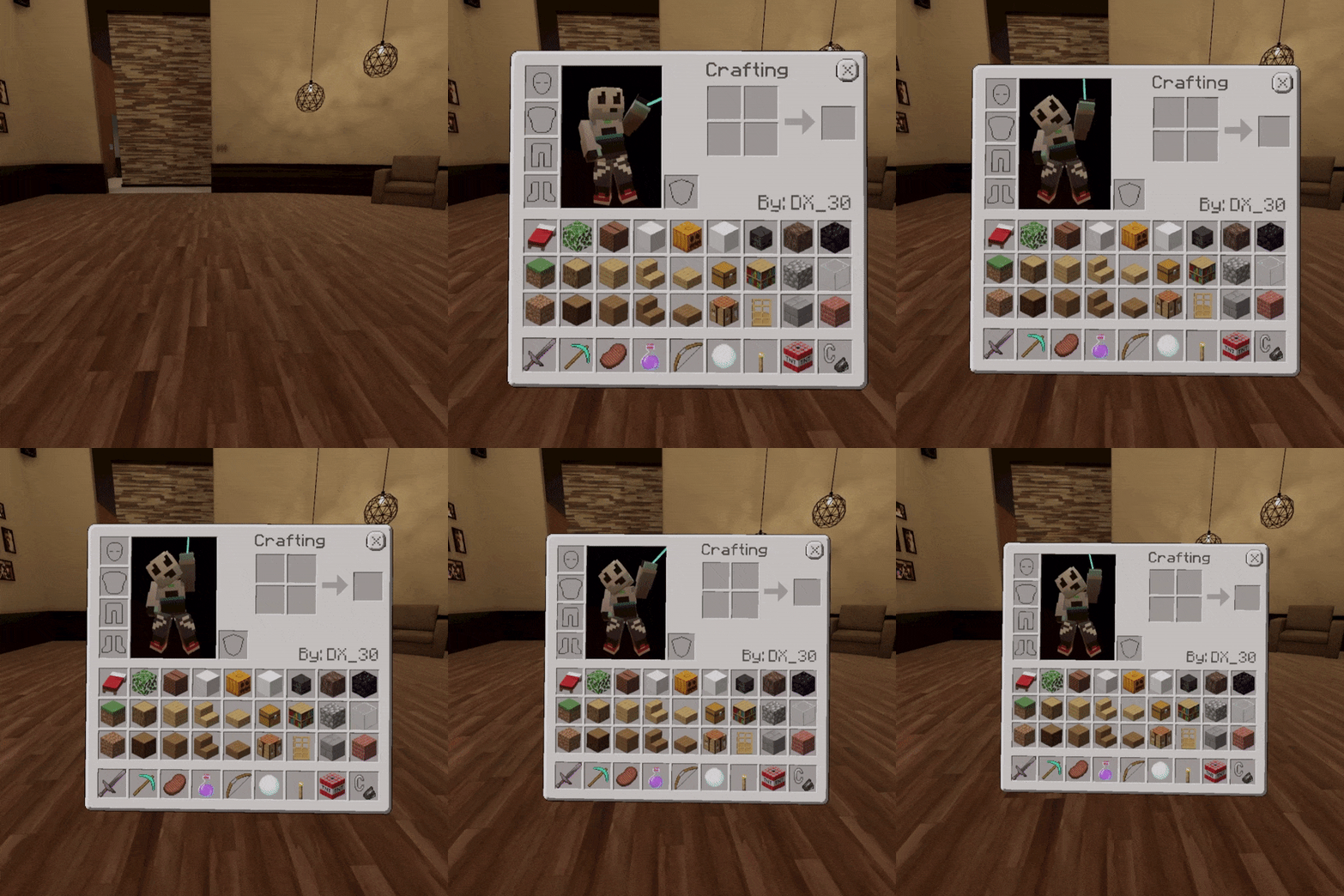
- 29 blocks and more to come
- 7 items with their functions[WIP]
Import your Minecraft skins

- Minecraft skins are easily imported to this avatar
- Skins with blink and speech animation
- Support for 3 and 4 pixel wide arm skins
How to Port Your Minecraft SkinLeft-handed support

- Place and break blocks with your primary hand
Requirements
- 21 Memory in the Avatar Parameters
- Build mode is only compatible with PC version
-
Avatar 3.0 Manager to instal the Prefab in you avatar
- Write Defaults Off in the Animators in Playable Layers
Want to Test before you buy?
You can test the public version of this avatar in this world.
And if you like the result and want to put it on your avatar I'll be here waiting for you ;D
Test The AvatarCan I put my own minecraft skin on this avatar?
Yeees, the process is very simple if you want to see how the conversion is done, just watch this video
How to Port Your Minecraft SkinHow To Import the Prefab
Here's a little guide on how to use it:
-
Trigger( Shift + f2 on PC ) to place blocks and select menu items
-
RockNRoll GestureLeft ( Shift + f6 on PC ) to place remove Blocks
*Note: the hand you need to press trigger and rockNroll depend on if you have Left Handed mode activated or not.
For PC I recommend that you Enable the Left Handed mode so that you can use the Left Shift instead of the Right Shift
Spooky addon now has its own page, go there to check it out
Spooky AddonPlanned Functions
-
Sword:
When you attack there will be an attack animation and you will be able to damage people the same avatar
-
Potion of Invisibility:
You will be able to drink the potion to become invisible or put the potion in your friend's mouth turning they invisible.
-
Bow and arrow:
You will be able to use a bow to shoot arrows, and depending on how hard you pull it will go further or closer
-
Snowball:
You will be able throw a snowball at people.
-
Steak:
Are you feeling hungry? just bring the steak closer to your mouth or your friend's mouth and you'll be able to satisfy your hunger.
-
Capes:
You will be able to bring your cape into the game
By default you will have a VRCraft cape and a VRC+ cape
-
Toggable Outer Layer Skin:
you will be able to deactivate the outer layers of your skin, so if for example you have a mask you will be able to deactivate it
-
Improved building system:
It will be much more robust enabling the creation of more complex systems, and fixing a bug that happen in the current version, blocks break when you walk through them.
-
Flint and Steel:
You will be able to set the ground on fire and if someone passes throughthe fire they will go into flames
-
TNT:
TNT will go BOOOOM! when you light it with Flint and Steel destroying your and your friends blocks
-
Jukebox:
It will start playing songs when you place it in the world.
-
Snowman:
You will be able to build a snowman, and he will have an AI, that means he will walk around the map shooting people xD
-
Iron Golem:
You will be able to build an iron golem and it will walk along with you protecting you, if someone hits you it will hit back.
-
Wither Boss:
You will be able to build a Wither Boss and it will fly around destroying everything in his path
-
New Tabs in the inventory:
with these tabs I will be able to add many more blocks 
-📃Terms of Use📃-
- Sharing or selling VRCraft Prefab, whether modified or not, isn't not allowed.
This applies to prefab or avatar containing the prefab.
- Feel free to use VRCraft for commercial purposes as monetized Videos/LiveStreams or Live Events.
- Modification of VRCraft is allowed.
- Uploading public avatars With VRCraft is allowed and you can put in a world, but you can't replace the logo, and you need to specify in the description that you are using the VRCraft.
- All copyrights and rights of ownership belong to DX.
Credits
Special thanks
All my friends that supported me and encourage me to continue the development of this avatar, you have a special place in my heart💜
Thanks to Anero for given me the initial idea of making this minecraft avatar and for being at the beginning of its production ;D
WingmanDraws for the inspiration and help in the creation of this avatar, without him this avatar would not exist.
Thank you very much for your purchase
Don't forget to leave a review
I hope you have a lot of fun with VRCraft.
if you find any bugs or have any questions just call me on discord I will be more than happy to help you
Here's a little guide on how to use it:
*Note: the hand you need to press trigger and rockNroll depend on if you have Left Handed mode activated or not.
For PC I recommend that you Enable the Left Handed mode so that you can use the Left Shift instead of the Right Shift
How to add your minecraft Skin to VRCraft
If you want to put your own skin inside the avatar you will need these files
the guide will help you to put your skin inside VRCraft
Here a video that shows step by step how to put on your skin on VRCraft
How to Chage The Cape
How do I add the prefab to my Custom Avatar Avatar?
Change Log
V2.0.4
V2.0.3
V2.0.2
V2.0.1
V2.0.0
Building system was redone from scratch
Bug that the blocks disappear when you walk through them has been fixed.
New shader for blocks, making visibility better on dark maps.
More Rotation added to Wither Skull.
Particle for torches added
Added the system to deactivate the outer layers of the skin.
Fix Block and Potion shader that appears invisible on some maps
Fix Block breaker with pickaxe
Fix Spruce Log rotation
Improvement in Hight sync
More rotations for the door, now possible to do double door
Capes Added
New Menu System ( the cursor has a higher precision )
Minecraft Walk Animations
Slash animation to Sword
Eat Animation to Steak ( you can give it to your friends )
Snowball throwing animation
flint and steel can set fire
functional bow and arrow
functional functional invisibility potion ( If you give it to someone who is using the avatar it becomes invisible to )
New Avatar Shader That Enable Transparency and normal and smoothness map for all skins
Block shader now supports animation
Error detection screen
Tutorial screen for the first time using
Sounds To menu interaction
Torch fire no longer rotates with the head
Improved outer layers system, now works on quest
Shaders now displayed correctly if the person blocks the shader
Few more minor bug fixes
v1.1.6
v1.1.5
v1.1.4
v1.1.3
v1.1.2
v1.1.1
v1.1.0
v1.0.0
Block rotation has been added for all Blocks!
Enchanted animation to hand potion
Torches can be placed on the walls
Distance of placing the block in vr increased
Pickaxe destruction distance increased
v0.2.2