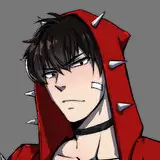
Here are the CapDam Inklings! now for VRM! :)
HOW TO USE(VSEEFACE):
step 1. Download the VRM file(s).
step 2. Open VseeFace
step 3. Once you open VseeFace, click "Add avatar" and pick the VRM file(s) (also make sure that you set up your settings.)
step 4. Press "Start"
step 5. Enjoy!
HOW TO CHANGE THE HAIR COLOUR:
NEEDED:
- Blender (Offical Download) (Steam Download)
- VRM Addon for Blender (Download here)
Step 1. Open Blender, then go to "Edit, Preferences, Addons, Install" and find the addon (MAKE SURE IT'S THE ZIP FILE, DO NOT UNZIP IT)
Step 2. In Blender, go to "File, Inport, VRM" then pick the VRM file that you want to edit.
Step 3. Go to the "Shading" tab in blender, Select the Hair, in the Shader editor change the colour.
Step 4. Once you do that, Export the VRM file.
CONTACT EMAIL: cappyadamscontact@gmail.com
TWITTER: @YuriMayori
Feel free to contact me if you need help! :)
Thank you for getting these/this model(s)! Enjoy using them and please remember to credit me! :)