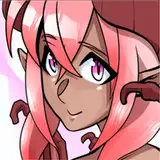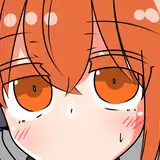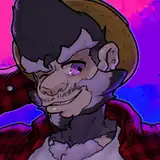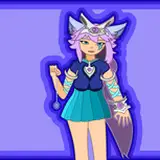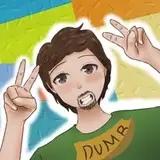
이틀 전은 트위터의 Toshabi 님의 생일이었습니다! 재빠르게 생일 축전을 그려서 선물했습니다. 축전을 그리며 신경썼던 부분들을 공유합니다.
Two days ago, it was Toshabi's birthday on Twitter! I quickly drew a birthday celebration and gave it as a present. I share the thoughts that I cared about while drawing this.
트위터 크롭과 사이즈, 가시성에 관한 생각들입니다.
These are thoughts about Twitter crop, size, and visibility.
저는 거의 트위터에서 활동합니다.
I'm mostly active on Twitter.
트위터에 이미지를 업로드 하면, 타임라인에선 대략 이런 형태의 그리드로 보여집니다. 한번에 최대 4장까지 업로드할 수 있고, 알고리즘에 의해 저마다 다르게 크롭되어 그리드 안에 배치됩니다. 모바일 환경 및 데스크톱, 공식 어플리케이션 등등에서 모두 동일한 비율입니다.
When you upload an image to Twitter, it appears to be this type of grid on the timeline. Up to four can be uploaded at a time, each cropped differently by the algorithm and placed in the grid. It's the same rate for mobile environments, desktops, official applications, and more.
그동안 트위터에 그림을 올리면서 항상 이 그리드와 크롭이 신경쓰였습니다. 카메라로 촬양한 대부분의 사진들은 가로로 넓습니다. 그러나 수인 일러스트의 경우, 세로로 넓은 경우가 훨씬 많죠. 세로로 넓은이미지는 가로 그리드에 배치될 경우, 훨씬 많은 구성이 잘려나가 손실이 큽니다.
I've always cared about this grid and crop while posting pictures on Twitter. Most of the pictures taken with the camera are wide horizontally. But in the case of the Furry illustration, it's much more vertical. If the vertical image is placed on the horizontal grid, there is a lot of loss because more configurations are cut off.
물론, 이 그리드는 미리보기일 뿐입니다. 이미지를 클릭하면 원본 화상을 볼 수 있습니다. 그러나 빠르게 흘러가는 SNS타임라인에서, 한눈에 이목을 끄는것은 중요합니다. 클릭 한번을 하느냐 마느냐엔 매우 큰 차이가 있습니다.
Of course, this grid is just a preview. If you click on the image, you can see the original. But in a fast-flowing SNS timeline, it's important to get attention at a glance. There's a big difference between one click.
크롭이 신경쓰이는 아티스트중에는 이 그리드를 이용해 원본 화상을 전달하려는 경우도 있습니다. 여러장을 업로드 해서 조금이라도 미리보기의 세로 공간을 확보하도록 하는 것입니다. 그러나 이 경우엔 이미지가 너무 작아집니다.
Some artists who are concerned about cropping may want to use this grid to deliver their original images. Upload multiple copies to free up a little bit of vertical space in the preview. But in this case, the image becomes too small.
사이즈 문제도 가시성에 한몫하는데, 데스크톱 모니터를 기준으로 만들어진 이미지의경우, 작은 모바일 타임라인 에서는 디테일들이 보이지 않아 임팩트가 떨어지는 경우가 있습니다.
Size problems also contribute to visibility. For images based on desktop monitors, the impact falls on the small mobile timeline. Because I can't see the details.
그래서 이번에는 모바일환경에서 보이는 크기를 기준으로 최대한 단순하게 구성한 뒤, 데스크톱으로 옮겨 작업을 해 보았습니다. 어느정도의 성과는 있었던것 같습니다.
So this time, I tried to make it as simple as possible based on the size you see in the mobile environment, and then move it to the desktop. I think there's been some success.
PS. HAPPY BIRTHDAY AGAIN TOSH!!!
Toshabi
2020-09-23 08:28:37 +0000 UTC