Hello everyone,
Voxta v1.0.1 is here, packed with powerful new creative tools for your chats. With this release, we've officially moved out of beta!
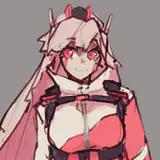
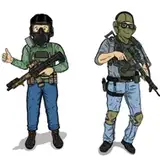
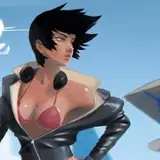
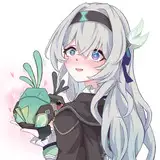
We've introduced a feature that will fundamentally change storytelling in Voxta. With the new chat.imagine() action, the AI can now generate images based on the current conversational context. This is what allows you to create infinite visual novels where the story generates its own illustrations as it unfolds - the sky is the limit. you can also trigger this manually at any time using the /imagine command.
Finding and downloading models is now much easier with the new built-in Hugging Face browser.
Here are some of the notable updates in this release:
/imagine Command: You can now generate images directly within your chat using the /imagine command (e.g., /imagine draw me a...). Demo: https://youtu.be/xhvo1dz5IaA
Hugging Face Model Browser: A built-in browser allows you to easily explore and integrate Hugging Face models.
Image Generation Visual Effects: Experience cool visual effects when generating images in chat, including a scanning effect for attachments and placeholders for in-progress generation.
C# SDK for Custom Modules: For developers, we now provide a C# SDK to create your own modules, complete with an example project in the release files.
Voxta Cloud Updates: The default text generation model has been switched from Mistral Nemo to Mistral Small 3.1 24B, aiming to provide a better default experience.
Folder Watcher Enhancements: The Folder Watcher module can now write messages in chat instead of just updating context, and can also trigger character replies and attach images.
Automatic Label System: A new automatic label system is in place; just leave the label empty.
Ability to Resume Downloads: For models and other large files, you can now resume interrupted downloads.
Allow disabling required modules: You can now disable required modules in the module edit screen.
Assistant View Input: In the assistant view, the input box now moves to the bottom on the first send.
Redesigned Voice Selector UI: The voice selector interface has been updated for a better user experience.
Assistant Avatar: An assistant avatar has been added to the assistant view.
Module Configuration Toggle: A toggle enabled button has been added to the module configure screen.
Chats Page Scrolling: Deleting a chat in the chats page will no longer cause unwanted scrolling.
Continuous Transcription Timeout: Widen continuous transcription timeout ranges.
Module Stability: Broken modules will now be disabled instead of breaking startup.
Speech Playback Race Condition: Addressed a race condition in speech playback state that could result in locked chats.
MCP Fixes: Fixed a missing AugmentationKey field to module config and a crash when parsing tools without arguments.
Voice Samples: Allow loading voice samples with spaces in the filename.
Florence2: Resolved image processing and response buffer errors.
Formatting Templates: Added Mistral V7 Tekken template (same as V3, minor whitespace changes).
Thinking Tokens: Fixed multiple cases where thinking tokens parsing would fail.
Bing Search Removed: The Bing Search service has been removed due to deprecation.
DuckDuckGo Added: DuckDuckGo has been added, though it is currently broken and marked as obsolete.
Text To Speech Playground: Fixed an invalid disabled history download button.
Service Settings: Fixed the round logo on service settings and dropdowns overflowing in compact forms.
Sliders: Fixed broken styling for sliders.
Memory Book: Fixed the "Add Entry" button missing from memory books.
Service Settings Display: Corrected service settings showing the current module instead of the applicable one.
User Interaction Request: Warn instead of crash on attempt to fulfill an already fulfilled user interaction request.
Multiple Selection Choice Fields: Added support for multiple selection choice fields.
Markdown in Text Fields: Use markdown in text fields instead of HTML.
We appreciate your continued support and look forward to your feedback on these updates.