Introducing transitive blocks
Added 2021-09-13 07:57:48 +0000 UTCTransitive Blocks are a new feature of EliteMobs 7.3.8-SNAPSHOT-1 which will are about to become a staple of EliteMobs, so I figure this might be a good place to get a bit into how they work and why they were designed the way they are.
For starters, what is a transitive block?
Have you ever wished that killing a boss would reveal a secret area or open a big gate? Transitive blocks are EliteMobs' way of doing this, but they can do so much more.
Let's take the example of the upcoming Vampire Manor Minidungeon, which should be coming out over the coming days. Transitive Blocks are used to open doors, both important and secret, to progress through the labyrinthian Minidungeon.
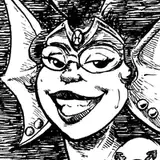
However, these same blocks are also used to turn stone gargoyle statues into bosses you can fight when you kill a vampire! Additionally, they are also used to close combat areas when players engage in combat with certain bosses!
In a planned future dungeon we are currently calling the Tower Lair, a boss with 10 phases will spawn on flat land. This boss will have an extremely high amount of health and will have 10 phases. As players trigger phase switches, the boss will teleport up and construct tower floors. Players will have to run after the boss and conquer the tower as it gets built throughout combat in a unique encounter!
Now that you have a taste of the possibilities, let's talk about...
How do Transitive Blocks trigger?
Transitive blocks can be triggered in exactly two ways: when a boss spawns, and when a boss ceases to exist. This sounds simple, but it is important to really understand what "spawn" and "cease to exist" means!
"Spawning" happens every time a boss spawns for the first time (or respawns in the case of Regional Bosses), but also every time a boss switches phase! This clever little trick allows you to set very custom behavior regarding which blocks get placed and removed as bosses go into and out of phases. As an example, if a boss leaves combat (because the player died or quit or is otherwise no longer nearby) and resets to phase 1, it will place the blocks that it places when it spawns in phase 1!
"Cease to exist" in EliteMobs has exactly three meanings: either the boss died, the boss changed phases, or the boss "escaped" through the timeout feature. Under these circumstances, the boss will place any blocks it is set to place when it ceases to exist!
Where do Transitive Blocks get placed?
Right now, only Regional Bosses and phases of Regional Bosses can spawn Transitive Blocks. This is because EliteMobs currently places the blocks based on the spawn location of the boss, and not where the boss might be at any given moment.
As you might realize, randomly placing down blocks in the world could go very wrong very quickly!
To set blocks up, the command /em registerblocks <regional_boss_file.yml> <ON_SPAWN/ON_REMOVE> has been added to the plugin.
This command will only be able to register blocks while the boss has a spawn location. Additionally, to make sure that things are working correctly, it is highly recommended that you have one custom boss file per boss that uses transitive blocks! If you have several bosses on the same file, EliteMobs won't know which one(s) are meant to be able to place blocks down, and it will not work the way you expect it to.
It is also important to mention that this command saves the coordinates relative to the boss' spawn location. This means that you are not saving specific locations in the world, but locations based on the spawn location of the boss! This means that if you move the boss' spawn point by 2 blocks, the Transitive Blocks will also be moved in the same direction by 2 blocks.
How do you register Transitive Blocks?
The way these blocks get registered is currently on its first version, and open to feedback. Currently, the best way we found to do it is to build the structures you want to see appear or disappear ahead of time, then running the /em registerblocks <regional_boss_file.yml> <ON_SPAWN/ON_REMOVE> command, then either right clicking or left clicking the blocks.
Right clicking will register the blocks as they exist in the world. Left clicking will get the block you left clicked and register that location as air! This allows you to easily tap all the blocks you want to add or remove.
It is a known weakness of this system as it exists right now that there is no easy way to place remove structures that are several blocks thick. A command to enable editing existing blocks without overriding them will be added very soon, but for now I recommend either getting a friend to help you build/deconstruct as you go, or just building things hollow / thinner.
If you mess up, you can use the command /em registerblocks cancel . Alternatively, you could click with the opposite button in order to unregister a single block - left click if you right clicked by mistake, or right click if you left clicked by mistake.
To stop registering blocks you just run the command /em registerblocks <regional_boss_file.yml> <on_spawn/on_remove> again.
Advanced tips and tricks:
This system was designed in a very specific way because it needs to be able to handle situations like servers crashing halfway through phases, bosses leaving combat or other edge situations gracefully.
First off, there is a reason why ON_SPAWN and ON_REMOVE have completely different sets of blocks. In the simplest use case - a door - you can open the door when the boss spawns, and close it when it dies, or the other way around.
However, let’s say that you have two phases, and that phase 1 opens a door while phase 2 closes it, as is the case in the Vampire Manor, where some bosses will close the combat arena when players start fighting it.
In that case, you will want to make sure that Phase 1 can clear a set of blocks that it doesn’t necessarily place at the end of Phase 1, but rather at the start of Phase 2 (for safety reasons it is recommended that you place blocks specific to a phase at the start of that phase and not at the end of the previous one, in order to account for 1-shots).
Secondly, if you want to get started with this system, I recommend starting with Regional Bosses that aren’t phase bosses, as phase bosses are significantly more flexible but can also get much harder to get right.
This is because Phase Bosses can construct whole towers during a battle, but you need to be able to account for phase resets or just servers crashing / restarting during combat.
To gracefully recover from these situations, phase 1 should clear / revert and blocks that get placed throughout any of the other combat phases. This means that if you want to build a whole tower during combat, phase 1 should replace every block of the tower with air when it starts, to make sure that no remains exist for any reason whatsoever.
This is a big part of why pre-building the structures you want to have appear and disappear and then tapping them with the block registration active seemed like the way to go with Transitive Blocks, as it makes it significantly easier to keep track of what you’ve tapped and what you haven’t.
Thirdly, I have spoken here of ways that Transitive Blocks can be used to make combat mechanically useful, but these blocks can be used for more. They can be used for anything, from doors, to creating platforms and obstacles in combat arenas during combat, to changing the decoration of an arena as combat proceeds. We have big plans for this feature in upcoming dungeons, and we look forward to showing you just how flexible this feature can get!
Fourthly, and lastly, right now this system can not and should not be used as or with timers. Blocks get placed and removed as phases happen. Some people have theorized ways that timers could be improvised based on how EliteMobs works to force blocks to get placed or removed on a timer. If this is a feature that becomes important later, I will add it. But for now, if you improvise a timer solution, don’t be surprised when it doesn’t work properly half the time.
Closing notes:
I will of course be making a GitHub wiki page about these systems, and maybe a YouTube video as well demonstrating how this system can be used. This will be a key feature once the EliteMobs Dungeons come out, as every major boss will close off the combat area (to prevent exploits) using this system.
Currently I am still working on exactly how I want to make the blocks rotate with the schematic minidungeon orientation, but the system should already work so long as you don’t rotate the schematic the boss comes in.
Thank you to all the Patrons who keep the project alive, without whom these systems would not be getting created. I believe that the Vampire Minidungeon will be released before the 15th of this month, alongside a public build with the Transitive Blocks system in it, as well as other features, improvements and bugfixes.
The Oasis Adventure chapter 3 was going to come out before it, but we are adding so many things to it that it will need a bit more time in the oven. We still plan to release it this month though!
The first set of premium Custom Events should also be coming out this month. I don’t want to spoil the theme of it right now, and it might be a bit too ambitious to fit alongside all of the other planned features, but I will do what I can to make it interesting!
Happy adventuring,
- MagmaGuy