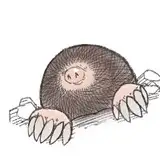
![[Archived] Woobu Upa and Baby Axoltol](https://img10.samukata.com/storage/12/ka/sq/4e9b88-019e8263-1bcc-7000-8fec-b0beb7e5c20a.png)
![[Archived] Woobu Upa and Baby Axoltol](https://img5.samukata.com/storage/5/dr/kb/4e9b88-019e8263-1be0-77dc-9a09-394ac044244b.jpg)
![[Archived] Woobu Upa and Baby Axoltol](https://img5.samukata.com/storage/9/dv/br/4e9b88-019e8263-1bed-714a-adbd-828ed50ce760.jpg)
![[Archived] Woobu Upa and Baby Axoltol](https://img5.samukata.com/storage/1/vj/oi/4e9b88-019e8263-1bfc-78f7-ba23-895ab7e558d0.jpg)
![[Archived] Woobu Upa and Baby Axoltol](https://img5.samukata.com/storage/3/bj/fj/4e9b88-019e8263-1c04-7bc5-a348-c958641ce7da.jpg)
![[Archived] Woobu Upa and Baby Axoltol](https://img5.samukata.com/storage/1/ei/fq/4e9b88-019e8263-1c11-7a18-9945-9430a2e91dec.jpg)
![[Archived] Woobu Upa and Baby Axoltol](https://img10.samukata.com/storage/4/xh/ff/4e9b88-019e8263-1c1b-784a-88a0-f00734532246.jpg)
![[Archived] Woobu Upa and Baby Axoltol](https://img10.samukata.com/storage/11/xq/zx/4e9b88-019e8263-1c36-7092-8442-98ccea715137.jpg)
![[Archived] Woobu Upa and Baby Axoltol](https://img5.samukata.com/storage/11/tf/gn/4e9b88-019e8263-1c4a-7f0a-9180-50120fbe3679.jpg)
![[Archived] Woobu Upa and Baby Axoltol](https://img5.samukata.com/storage/6/rw/ru/4e9b88-019e8263-1c66-78fb-96e2-a57bb7bcfd8c.jpg)
![[Archived] Woobu Upa and Baby Axoltol](https://img10.samukata.com/storage/12/kg/ti/4e9b88-019e8263-1c77-7a5d-a1dd-be974188dff7.jpg)

hii!!
I have a combo drop today! Its another woobu and a baby axoltol!
✨ Woobu Upa ✨
Assembly video - Youtube shorts
Magnet Face plate - Youtube shorts
3 walls, 15% gyroid or 3D honeycomb infill. No supports.
The print in place version tested down to 50% I don't recommend going below 70%
for the split to parts version Use 0.12 Layer height for best quality on everything except the body which can be printed with standard 0.2 layer height
Use Concentric pattern for top surface pattern
Split to parts version tested up to 120%, I don't recommend scaling this version down
Please use Brims with a brim gap of 0.3 if you are using Textured PEI plate, especially so if its a multi color plate. A little bit of post printing clean up is better than losing the plate due to adhesion issues.
For the split to parts version tolerance can vary across printers and filaments, Scaling up or down 2% depending on your fit should resolve any assembly issues. If you need to scale the face make sure you are also scaling the rest of the face parts with the same scale.
I've included a fish magnet for the magnet faceplate. The magnets required are 5x3 and I get mine from amazon!
create a pause on layer 20 when printing the hidden magnet fish version to insert the magnets. Please don't use this version if you don't have a magnetic build plate, without a magnetic plate the magnet will stick to the nozzle and could result in damages.
Editing 3MF
Avoid using the slicer's fill tool when coloring the eyes, and faceplate in the 3MF files, because they are split to parts. Instead, assign color to them from the object list to make the edges look cleaner. Do not split to objects.
Please note that 3MFs will load with a custom profile that I used to print these models. Double check your settings prior to printing.
✨ Baby Axoltol ✨
3 walls, 15% gyroid or 3D honeycomb infill. No supports. for both versions.
Tested down to 80% I don't recommend going below that
Editing 3MF
Avoid using the slicer's fill tool when coloring the eyes, and eye shines in the 3MF files, because they are split to parts. Instead, assign color to them from the object list to make the edges look cleaner. Do not split to objects.
Please note that 3MFs will load with a custom profile that I used to print these models. Double check your settings prior to printing.
The flower tier stand can be found in the download post!
⭐As with all of my designs, I strongly advise that the printed models are not to be handled by children under 3 without proper supervision⭐
+
📌These designs have been Archived. If you were subscribed the month which these designs were released then it will be free to download from your My mini factory account if you redeemed the file share email.
If not then it is available to purchase from the below links. Patreon License still applies to designs purchased separately. Make sure to use the discount code listed in the download post📌
** I have used many different filaments with this release. Best way to get the names for the colors I used is to reach out to me with the picture via Instagram, Facebook or discord. I'll be happy to answer filament questions in the comments below as well.
Christine
2025-07-07 16:52:29 +0000 UTCCarolina
2025-07-07 16:50:37 +0000 UTCDanielle King
2025-07-01 18:33:53 +0000 UTCChristine
2025-06-09 12:07:32 +0000 UTCMariah
2025-06-09 06:58:10 +0000 UTCChristine
2025-06-04 17:59:36 +0000 UTCRuth Hein
2025-06-04 17:52:48 +0000 UTCChristine
2025-05-30 23:39:33 +0000 UTCIsa Watson
2025-05-30 23:15:05 +0000 UTCChristine
2025-05-28 22:03:54 +0000 UTCNora Ostrom
2025-05-28 21:40:50 +0000 UTC