AI-Powered Text to Image Search in Videos
Added 2023-06-27 15:23:54 +0000 UTCWe just pushed version 0.19.2 on the private GitHub repo with a very early video search feature which we've been developing here in our editing room in the past few weeks.
Basically, you can now find anything you can describe with words in your footage.
Here's a 5 step how-to:
1. Press Ingest (the new "transcribe" button basically)
2. Select any video file (supports most codecs)
3. Check the new Video tab, but maybe don't mess with the settings on your first try!
4. Press Start and grab a coffee, or take a nap, learn a new language or maybe get a sabbatical and travel the world (depends on your GPU). Then, once this is done...
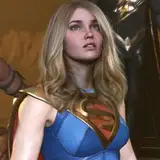
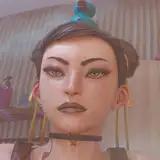
5. Press Search, select the transcription.json file that starts with the name of the video file and just enter any text that describes what you're looking for and AI will try to find the best matching frames to whatever it is you're searching.
That's it!
In this early version, you'll get the frame and the timecode, so it's up to you to open up the video file in your editing software, but hopefully this will already save a ton of editing time, especially when dealing with tens, hundreds or maybe thousands of hours of footage.
This has taken us a bit of time to work out since we needed to find the perfect balance when it comes to detecting scenes and deciding which frames should go in the index that AI looks into when searching...
A standalone version is on the works - but we need to fix some things first...
BTW, if you want to play with this feature and have problems installing the tool directly from source using git, just message us and we can try to help!
More stuff coming up soooon!
Comments
THANK YOU!
barzoock
2023-06-27 17:28:19 +0000 UTC