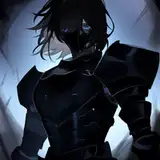
Hi everyone! Recently I've been asked by XP-Pen to review one of their products, so I thought I could hit two birds with one stone and test their tablet out while making a post for Halloween! 
✨ I will be posting a longer video showing a full process from sketch to finish in the upcoming days! ✨
Let's begin!
I've been approached by the German branch of XP-Pen in the middle of September, asking if I wanted to review their product and make a giveaway for my Instagram followers. I didn't want to agree to a giveaway right away because I don't want to promote potential shit, so I agreed to check their product first. I've told them what tablet I've been using so far for the product they intended to send me to be comparable.
After around a week I've received XP-Pen Artist 16 Pen Display (2nd Gen) which I would be comparing to Wacom Cintiq 16. I wasn't really a fan of the tablet I've been working on for the past few years, which for some reason was a downgrade compared to my first display tablet - Wacom Cintiq 13HD. I missed the keys, the screen quality and an overall feel of it. And since it still was just a few years since I bought Cintiq 16 - I didn't want to invest in a new one. So XP-Pen came with a right thing at a right moment.
I was ready for a shit quality thought. I never heard of XP-Pen, and always was a bit of a stan for Cintiqs. My mind was just about to be changed though.
After a few hectic weeks of work, I finally had a moment to open the box and actually test it. The XP-Pen representative was so damn patient with me since our agreed date of review release was 2-4 weeks after receiving the tablet 😬 Kudos to you Yao for being a champ 😅
I began with saying goodbye to the Cintiq and plugging the new bad boy to my pc which was a very easy task. There's very little cables involved compared to the old tablet. No big chunky box of a power transformer, and definitely less cord (which in my case was a good thing because I sit close to my pc, and long cables can be a death of me. It could be a bit of a problem for those who sit further away, but the good part is that since the XP-Pen uses USB-Cs it would be easy to get an extender for a cable if you'd need it longer. The power cable sits tightly in it's spot - I've checked multiple times while drawing out of sheer anxiety Cintiq 13HD installed in me, and Cintiq 16 tired to solve by making an intricate inner holder for the cable. I was surprised with how snugly the cable sat in here though. So simple! And it's just a damn USB-C!
I ran a driver and I'm not sure if I've skipped the part where I could choose a language or there was no option to begin with, but I was left with a TRAGIC google translation from english to polish. Where a "driver" was taken not as a software driver but a CAR DRIVER. It's hilarious but at the same time a bit meh since once it's installed you can't do jack shit about it. There's no option to change the language.
The software despite the language problem is very easy to use. You can quickly calibrate, flip the screen, adjust the shortcut keys, change the active workspace and manage the pen options. Very easy, nothing fancy, but there's nothing to be fancy about here ¯\_(ツ)_/¯ I've encountered a problem at the beginning of the sketching, where a line wasn't starting where I've placed it and after a moment of poking around in the software I've managed to figure out the problem - Windows Ink. Unclicked it and everything ran as smooth as it possibly could 👌
Display is very beautiful. The colors, contrast, resolution - everything just as it should be. Here you can check all the technical specifications, but if you don't want to dig then let me tell you that all of the main specifications are same or better than Cintiqs I've been working on before.
The pen Is nothing special, made out of sturdy plastic, no special rubber grips, not as comfortable as Wacom stylus but definitely not a bad one.
The whole time I was drawing I was subconsciously reaching to my keyboard for the shortcuts. It will take my body a moment to adjust to the new reality of having 10 shortcut keys! 😅 But let me tell you, it's such a good feeling to have a button for ctrl+s and ctrl+z!
Smooth, no glare, great colors and contrast, precise and overall a pleasure to work with! I'd give it 4-4,5/5 stars. I will be boxing my old tablet away [*] and preparing to work on a deal to get you your own new tablets to test!
Happy Halloween! 🎃
SketchArchivist
2022-10-31 14:12:16 +0000 UTC