🛠 Creating Custom Mods - MyRobot
Added 2025-08-07 00:14:51 +0000 UTCThis is for the August 8th Release Build and above, older builds do NOT have this feature.
If you want to use an existing mod, download it and put the .myrobot file in your game's
Robot_Data/Mods/<body_part_it_was_made_for>/mod.myrobot
Example: "Mods/head/goldship.myrobot" then it will be available in the Robot Builder!
👧👩👩🦰👩🦱👩🦳 Custom Body Parts
You can now 3D model a replacement mesh for robot parts, such as heads:
 ⚠ Requirements
Basic 3D model making skills (Blender/Maya)
Binary .fbx file exporting
A rigged character model with shapekeys and textures
🤸♀️Example (for a head)
1) Find a nice model and import it into Blender

2) Remove all vertices and bones unrelated to the head (keep the neck)

3) You can now import the model into the game. Export .fbx with the following settings:

4) To open the Mod editor, enter the Robot Builder in-game and click on the purple MOD button next to the Queue head button, then press Create New and select your .fbx.
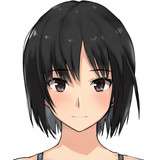
Houshou Marine!

5) Fix materials by adding suffix "_blend" or "_cutout" to names. Re-export.
Note: if you export again the file will automatically be reimported!

6) Renaming the bones to match the case-sensitive bones in the requirements list.
Green = fulfilled, Yellow = optional, Red = missing

7) Bind facial animations by renaming shapekeys to match requirements list
Note: the more you bind, the better animations it will have!

8) Make sure your model has separate materials for the eyesockets (sclera) so that it can be turned black if an eyeball is missing!

9) Make sure the eyes follow the camera exactly. If necessary, add the custom property "eye_range" to the eye_* bones to adjust the range (declared as a multiplier).
Note: Add it to the pose bone custom properties not the edit bone custom properties!

10) Optionally copy over the hat from the example file and position it (do not scale) on top of your model and parent it to the head bone. This will tell the game where to place hats on your model.

11) Optionally add jiggle bones by specifying custom properties. Simply add them to any bone and the entire bone chain will turn into a jiggle bone automatically.
List of accepted custom properties (you can have several properties on one jiggle bone):
stiffness 0~1
damping 0~1
elasticity 0~1
gravity 0~1
Example with twintails set to elasticity 0.1 and damping 0.2:

12) Export! You can now select it in the Robot Builder and queue it to build!

Discuss/help/browse modding channels available in the Discord!
[Download Example Files Here!]
This feature is still in beta!
Comments
This build will release this Friday!
sgthale
2025-08-07 00:15:07 +0000 UTC