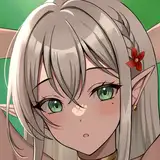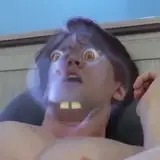
The shaders had to be reworked to look good with shadows. The problem is that anime faces do not interact with light normally. Not only in the way of light being clamped at certain angles, but also the way it interprets the actual mesh. Video 1 shows a straight naive shadow shader using unedited normals on Shinobu's face. As you can see the lips and nose give too much "3D" feel to it. You can too easily visualize the mesh as it hits the face. Too realistic and not cartoony enough. Video 2 shows the new skin shadow shader with some tweaks and a data transfer of normals. The face mesh of Shinobu is the same just the normals were edited to produce less detail now and nose normals were tweaked to give that anime nose shadow. Looks much better now. You get that "half face in the light" feel. Following gif shows the normal transfer. Looks like a spooky mask:

Another new shader I wrote was for the hair. Video 4 shows it off. What I wanted to make sure was that the shadow highlights in the full bright view had a smooth transition into the shadows. So the shader now lerps between a dark and a bright texture to give me more control over how the hair looks like when under a shadow. You can see the darks of the bright texture are the same color as the shadow color. After that tint it with the ambience and play around with a pow() on the view diffuse to pull back the light a bit into the shadows.


Right now I will be working on the house. I've always loved architecture. I've never pursued it professionally but as a hobby it's always been very fun. I used to make countless maps in high school for this one Team Fortress 2 server. I learned a lot about what to do in game maps. Steam says I have 2000 hours on Source SDK.