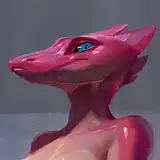
This is going to be a more technical post, I was surprised how little information online there is about rendering decals on a skinned mesh.
First off, I'm using HDRP, the fancy new render pipeline for Unity and it has built-in support for decals! These decals are hyper-efficient, though they are a very particular kind of decals commonly known as "screenspace" decals. They work fantastic for static decals on static meshes.
For example for splats on the ground they work great.

Unity's HDRP pipeline allows for literal thousands of these decals without much rendering cost, and it's super easy to implement! This is due to just letting the GPU do all the heavy lifting.
However if you try to render these decals on any non-static mesh...

It shifts around, and warps strangely. This won't work well for KoboldKare since fluids play a big part in the game.

Even Borderlands 3 suffers from this issue, good decals sometimes aren't a priority even in FPS shooters!
I want to do a little better than that, but I also don't want to purchase Asset Store addons. So I had to do some research and thinking.
I recall Valve games having great decals, and wanted to dissect their technique-- here's an example.

You can see the decal is slightly floating off the mesh-- Source games actually copy and extrude the hit part of the mesh. This is an incredibly complex and frankly a brute-force way of adding deform-able decals to a character.
It isn't a good fit for KoboldKare since it drastically limits the number of decals-- and is really prone to bugs and optimization issues.
Doing a bit of google-foo, I found a very good document done by Minion's Art on Patreon: https://www.patreon.com/posts/skinned-mesh-22015350
This is it! Minion uses render textures to store decals on the character, and offloads all the decal projection calculations onto the GPU! This allows for technically "infinite" decals per-character, and just like the screen-space decals it offloads the majority of the work to the GPU.
There's a big problem though, Unity's Projectors don't work in HDRP! This prevents us from using any of the advice or code that Minion so graciously shared, but the strategy is sound-- and it shouldn't be that hard to replicate.
Minion's decal strategy basically goes like this:
Seems simple enough! Starting with the "projector" shader, I realized that it's basically the entire texture pipeline but in reverse. Here's what a normal shader typically computes.

It figures out which polygons reference which part of the texture, and projects it into the correct space on the screen.
If we imagine there's a decal overlayed on the 3D screen-- we basically have to do the reverse!

We sample directly from the decal texture, using the projected 3D mesh as UV inputs. And output directly to a mesh that has been unwrapped into screen-space. After a bit of fiddling, it was pretty simple to create the shader. Which you can find below!
(If you notice, it's actually not an HDRP shader, this is explained later).
This leaves us with a material we can apply to a mesh to render a uv-space decal.

So all I have to do is render the mesh by itself to an extra HDRP camera to render a decal on it... right?

A quick implementation and WOW! Calling Camera.Render literally costs 12 whole ms in HDRP. Completely unfeasible, HDRP really doesn't let you "just" render a single mesh. There's lots of stuff going on whenever you try to render a camera..
I looked around and realized there's ways for me to directly draw renderers using CommandBuffers. This also lets me abandon HDRP's shader stack.
With a tiny piece of code like this:
CommandBuffer buffer = new CommandBuffer();
buffer.DrawRenderer(r, decalProjector);
Graphics.ExecuteCommandBuffer(buffer);
This lets me just manually draw a mesh to the screen with a specific shader. HDRP's shaders don't actually work easily in command buffers, so I switched back to a Legacy unlit shader template. Giving that a shot ended up with this...

WOW AGAIN! Complete opposite of doing a full HDRP camera render, command buffers take around 0.02 MS to execute. They're basically free! (provided your graphics card is adequate).
There's one more problem to tackle though, since we're rendering directly to UVs without regard for mipmapping, the edge of the render causes seams to appear.
Since command buffers are so cheap, we just render it four times with a tiny offset each time!

Woo! Infinite skinned mesh renderer decals! You can see a video of the "complete" effect at the top. It's also live on KoboldKare's Steam build so give it a try if you haven't!
You can find a working github repository with examples here: https://github.com/naelstrof/SkinnedMeshDecals
It should be easy enough to figure out. Hope you guys enjoy!