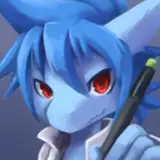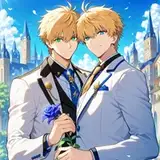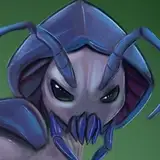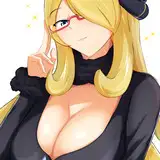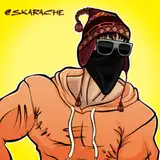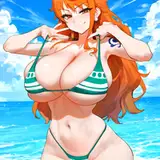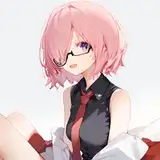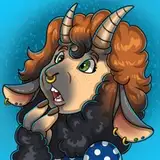
Wanted to share a Behind-The-Scenes look at how I create these pieces.
I draw on an iPad Pro with the Apple Pencil.
I use the program “Procreate” and mainly the Inking brush “Technical Pen”.
Always starts with a sketch, and I like to draw on non-white backgrounds like grey or dark blue. Helps my eyes and also saves battery life.
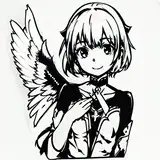
After the sketch is finished, or the client approves, then I move on to the LineArt. First I lower the Opacity of the sketch so it’s barely visible, create a New Layer on top and start the lines. I try to keep it all the one layer, but for some intersections I create a new layer so I can erase without touching everything, then just Merge them.
Once the LineWork is finished I start on the Flat Color. Set the Lineart layer to a Reference Layer and create a new layer under the lines. Because the lines are designated a Reference layer it basically works as a coloring book. I can drag-drop colors into the layer underneath without disturbing the Lineart. I prefer to keep everything separate for as long as possible. I always do the skin on its own layer so I can isolate the changes like fur without coloring all over the clothes. I use the Select option a lot while coloring too so I don’t go outside the lines.
Next the shading. I pick a darker cool color like dark blue, green or purple. Sometimes even just black. I create a new layer sandwiched between the LineWork and the flat color. Then I make this new layer a Clipping Mask. That means anything I draw on it will stay within whatever is below it (the color). This is another way for me to make sure I’m not drawing past the LineWork. Then I lower the Opacity of the shading to about 30% for normal pieces, about 50% for nighttime scenes.
Next I work on the background. I’m terrible at drawing props and backgrounds so I usually cheat and find a Google Image to manipulate. For this image though I just used a Procreate Texture brush. I use the Gaussian Blur so it looks far away and not too detailed.
Lastly I make a new layer between the lines and colors to add highlights. I choose the lightest color from the background and use that. Or if there’s bright magic swirling I will use that color.
Thats it! Hope this was helpful and insightful. Please feel free to use this technique and let me know if you have questions :D
Black Sheep
2022-10-20 11:57:38 +0000 UTCPhantomTF
2022-10-20 06:13:19 +0000 UTCNymraif
2022-10-19 03:24:19 +0000 UTC