SamuKata
DaveRapoza
DaveRapoza

patreon


Painting Process - Kirby Demo - (same process I used for Cowboy Bebop)

Watch the video here! 

Hey!

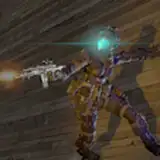
Hope you're doing well! Here is the step by step process video showing what I did to create the Cowboy Bebop illustration - I did a quick Kirby demo to give you a simple idea of how I paint in real time as well as a step by step showing the actual Cowboy Bebop piece talking through each step of Spike's illustration using what we saw with Kirby.

Attached to this post is the layered Kirby PSD as well as the Brushes used in the process - in addition to the brushes in the Kirby demo, I included a glow effect brush as well as the two particle effect brushes used to create the stars in the Cowboy Bebop illustration (soft particle for distant/dull stars and sharp particle for closer clusters).

Hope this is helpful! 

Thanks as always for your support!

Dave

Painting Process - Kirby Demo - (same process I used for Cowboy Bebop)

Comments

I just gotta say that your initial fill trick is fantastic. 100% plan on working that into my flow moving forward.

John

They worked for me. You can download them and just import them in

Brian Williams

Are you doing most of your painting in photoshop now vs Clip Studio?

Jeremy de la Garza

This is awesome Dave, thanks so much man!

Jeremy de la Garza

Great video Dave! I really like this process, it’s working really nice for me too. That tilde key function, where it erases out what you’ve painted, blew my mind abit! Never heard or seen that one before, I will definitely be using that more going forward!πŸ‘

Martin Gill

OK, I think I *may* have figured it out. Sharing my "solution" here in case someone else stumbles upon this and want some possible answers: * While selecting the brush, e.g., General Painter, go to Brush Settings > Dual Brush. * If you're like me, you will notice the "inner brush" is hairline-thin, creating the effect I described in my original comment * At the bottom there's a "Size" slider, slide it high enough so that the "inner brush" fills the main brush, creating a rectangular textured brush in the preview. Test this new brush and see if now behaves like the one in the Kirby video. I don't know if the other sliders must be adjusted as well but personally I'm happy with just calibrating the size. Looking forward to the next knowledge sharing vid, Dave! Thanks again for the brushes

artofamiel

Thanks for the video and download! These brushes will work fine with Clip Studio yes?

Skylar Opal

Just wanted to say thank you! This type of tutorial is exactly what my wife and I were hoping for when we became patrons. Please do more like this! The real-time process is very helpful. Would love to see how you choose your palettes and how you add in all the subtle color variations in the final details and rendering. Thanks again!

Josh Usmani

i don't know why brush don't work like your XD when u do a soft paint around the mouth you use the function Click or other? Thanks Dave!

Marcello Iozzoli

I'm really grateful for this small compact walktrhough! I've been giving this one a try. on 14:11 of the video, to create the shadows, you shifted the hue(color temp) warmer, added more saturation, and lowered the value for the shadows. I reckon it's probably case-to-case whether the shadows become warmer or cooler, but do you have any general guidelines when picking out shadow/lit color/saturation/values when it comes to applying shadows and highlights.

Figmenter

Thanks a lot Dave, your confirmation that it wasn't supposed to be this way helps a lot. Maybe I will try Discord.

artofamiel

For this approach I'm not using any blend modes but I've definitely used them in the past to work in tones. I'll definitely do more follow up paintings!

David Rapoza

Thank you! Mine don't have that look, I'm not entirely sure what could be happening with the brushes there - I wish I knew how to help, maybe ask in the discord and see if someone has had a similar issue?

David Rapoza

So, Dave, you're not using any blend modes at all and pain everything in normal? I'd love to see the same approach but with a human face of some sort in the future, and how you approach rendering skin. Thank you for sharing your process

Eugene Edge

Thanks a lot Dave. Really appreciate these bite-sized videos. Short but knowledge-dense. Just a question on the brushes though: are the "General painter", "Sharp details" and "Washy painter" supposed to have a darker line in the middle of the rectangular strokes? I checked and it's indeed a dual brush with a squarish brush over a line brush but I see the overlay but they look so anti-aliased I'm not sure if it's just me. Thanks so much again!

artofamiel

Great Video, I had no Idea that the tilde key did that!

Andrew Glassman Art


More Creators