Here are the links to Part 1 & Part 2
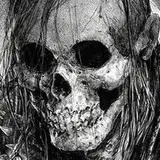
Hey everyone! Hope you've been well! I'm back and I'm alive, thanks for sticking with me - today I've got a 3hr 30min video walkthrough of this knuckles painting I've been working on for a demo to show you all my current process - one that I believe is my best/most followable process so far.
The video covers the entirety of the steps involved as well as my thought process in choice of lighting/rendering/colors etc. My brushes for the video are attached below, I used Krita, Photoshop and Clip Studio for this one - feel free to use all of these like I did or stick to your process and follow the basic principles in the video above! Krita is free and I highly recommend giving it a shot, I love it.
All of the layers you see used in this video for each individual step is included in the two PSDs below - I recommend using Photoshop to open these files although you can look at them in Clip Studio(some of the adjustment layers will be messed up though).
Thanks as always for your support!
Dave
Rosa Robles
2023-09-08 16:29:01 +0000 UTCV
2023-06-20 22:40:37 +0000 UTCNick Dahlquist
2023-06-20 04:10:37 +0000 UTCDelinda Arts
2023-06-19 23:51:36 +0000 UTCDmitry Bolotov
2023-06-19 22:05:46 +0000 UTCWhitney
2023-06-19 19:48:15 +0000 UTCMaddie
2023-06-19 19:47:33 +0000 UTCLouis Whitworth
2023-06-19 18:22:40 +0000 UTCAli Swei
2023-06-19 17:39:14 +0000 UTCSebastiaan te Pas
2023-06-19 16:41:19 +0000 UTC