[BoofVR] Alpha v0.7 Update!
Added 2022-09-13 03:04:12 +0000 UTC
And it's finally here!
This update comes with a new feature we're testing with - the dialogue system! Some new animations, a preview on music, a few new models for the environment, and more.
You can view the changelog at the end but apologies it's a little minimal as it's past midnight, but wanted to put up this build ASAP - had bumped into a couple of build issues and turned out that I needed to refresh my PC to get it to work, but at least we're here now!
Download
Mirror 1 - Download Link
Mirror 2 - Download Link
Password: 6qD@84Wp6ETA
*Note - There may be issues with the download links and high traffic. Please bear with, and try again in the next coming days!
How To Run
1. Download from the link above. If you download those three-parter ones, download all three first and then open the ZIP file, enter the password and you should automatically extract the game files from all three parts in one go.
2. You can extract all files using WinRAR or 7Zip, in a folder wherever you wish! Your folder should look like this:

3. Run (double click) BoofVR_Touch.exe to start the game! you do not need to install anything, this should work immediately.
VR or PC mode can be picked once you launch the game now! As long as you have your VR set hooked to your PC, you should be given the option to play in VR automatically:

Issues & FAQs
- Help! The character is falling down when I try to move them into the air!
Character is still currently affected by gravity and collisions when trying to lower them enough or float. This has been addressed and will be looked into again later.
- How do I interact with characters to test the dialogue?
On Desktop, you can do this by pressing E on the character when you see their name pop up! Similarly in VR, you can hold down a trigger to point and then press a button (depending on headset's controllers) to interact with the character.
---
Changelogs
• New experimental dialogue interaction (currently in "sandbox" mode, to be used more as for story later on)
• New font
• New UI visuals
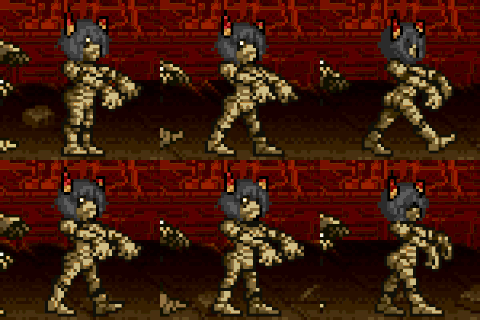
• New animations for Were
• Town map continued - Pier, Beach and Boardwalk are getting along in progress
• Added character test voices (we hope you love Animal Crossing / Banjo Kazooie!)
• Added music
• Added new SFX for buttons
---

Cheers, and have a happy Septemboof everyone! <3
Werethrope & Team
I managed to launch the young VR but none of the keys work with my meta quest 3
whether with the controllers or just with my hands I can't launch the game
Liondrisu
2024-12-18 23:22:42 +0000 UTC
Do you have to rename the files to the .zip extension or something?
Fang The Mightyena
2023-07-06 21:58:30 +0000 UTC
For anyone having issues here's what I did. I downloaded all 3 files (with the first link, the google docs link) and put them on my desktop (don't touch them until all you have all 3). Then I made a folder on my desktop and put all three in that folder. Go into the folder, select all, and I personally extracted with Winrar and it asked me for a password. I put the password in and everything extracted and it works. Hope this helps.
Spryzen
2023-06-24 21:34:57 +0000 UTC
Is there a solution for the "Error CreateProcess() returned c1" fail to launch?
Kujiiro
2023-06-06 19:06:01 +0000 UTC
how did you fix it? im having similar issues
2023-04-24 21:08:20 +0000 UTC
I can't extract the files, when i try to do so it says "the destination file could not be created", and then it looks like it might work anyway, but another pop up shows up "the same volume cannot be used as both the source and destination"
whats all that about?
PS. in no part of the process would it prompt me to put in a password
2023-04-24 00:05:20 +0000 UTC
Update: after the password didn't work with the Google Docs copy I downloaded first, I deleted it and downloaded it from Mega, and the password seems to have worked properly this time
Andrew
2023-03-06 08:49:45 +0000 UTC
It keeps telling me that it's the incorrect password despite me copying it directly from the post
Andrew
2023-03-06 03:55:47 +0000 UTC
Error CreateProcess() returned c1
2023-02-05 14:27:28 +0000 UTC
Same here
Good Memes
2023-01-22 21:58:18 +0000 UTC
I keep getting an error, what could be the issue?
2023-01-22 08:17:40 +0000 UTC
cant seem to click on the menu options in vr
2022-12-09 21:24:54 +0000 UTC
换个解压的
2022-11-29 09:02:41 +0000 UTC
hey there! I tried to extract the zip file but it says that it's "unable to expand 'BoofVR Alpha-0.7.zip' It is an unsupported format." I then tried to extract it using other applications like the Unarchiver, but then it said "There was a problem while reading the contents of 'BoofVR Alpha-0.7.zip.' The Archive file is incomplete." Any help?
Edit: I found out my issue! Can't wait to play it!
BK
2022-11-11 14:56:11 +0000 UTC
Im getting the same issue
2022-10-16 20:07:34 +0000 UTC
no like the application wont start
Keystim
2022-10-02 09:40:14 +0000 UTC
If you click where the dialogue options are after you selected one, you can still click them.
Cerberus Gin
2022-09-27 19:32:29 +0000 UTC
i cant play it at all i keep getting this error message: Couldn't Start: Create process0 returned 2
Keystim
2022-09-21 02:53:25 +0000 UTC
Same issue here... I'm trying on my Quest 2 via SteamVR, but even with the paws appearing, I can't select anything on the menu. Tried doing the "AdvanceDialogue" thing, but didn't work for me.
Anon Sparker
2022-09-19 02:17:04 +0000 UTC
set it to VR too can not play i desktop anymore either xD even a re-download didn't undo that ^^"
2022-09-14 15:49:16 +0000 UTC
well the index kinda does what it wants in terms of updates, I guess. and yes the paws/hands do appear
2022-09-14 15:48:33 +0000 UTC
I ended up solving it by going into the BoofVR_Touch -> Config-> SteamVRBindings folder, finding the Kunckles.json file, and replacing AdvanceDialogue with MenuInteractLeft for the left trigger and MenuInteractRight for the right trigger. If you do this, make a backup of the Knuckles.json file, look for "/user/hand/left/input/trigger" and find the first instance of AdvanceDialogue above that, replace it with "MenuInteractLeft" and repeat for the right controller.
2022-09-14 03:01:56 +0000 UTC
Really love the new stylings! That said, I've run into a couple of issues with the controls. Firstly, whenever I pull the trigger to interact with a menu, the index finger moves along with it (to the left on my right hand and to the right on my left hand). This moves the interaction laser, meaning I end up clicking off-target. Secondly, I can't interact with the characters. When I pull the trigger as instructed, I don't point and thus can't interact. This might be an issue with my bindings, but I don't know how to correct it. I am using an HP Reverb G2 with its stock HP Motion controllers.
Three Kobolds in a Trench Coat
2022-09-14 02:53:05 +0000 UTC
Yeah same for me, i have a Vive Elite, can't start anything. and now i cant even play in desktop mode cuz i accidentally set it to save in VR mode.
Xaypanda72
2022-09-13 22:38:37 +0000 UTC
Looks like by default the "advance dialogue option" is bound to the index trigger, and the interact with menu option is separate. If you go into your bindings and bind an "interact with menu" to a button or trigger, you can advance through the menu
RedRodent
2022-09-13 21:21:54 +0000 UTC
Having the same issue :<
RedRodent
2022-09-13 21:18:38 +0000 UTC
Hello there! I assume you've got your index updated to latest update as well? I'm looking into possible issues around this at the moment along with the same issue as for Quest 2.
Another thing as well, do the player hands (paws) appear though before you try to click on "Begin"?
Werethrope
2022-09-13 20:29:36 +0000 UTC
Using my Index, VR mode unfortunately does not work.
I can launch it, but when I try to click on the "Begin" button, it doesn't react.
I see the aiming laser pointing at it, and it does play its little sound when I do.
But with both hand controllers, the "Begin" button does not react to ANY controller
button input x3 Desktop mode works fine.
I'd prefer it in VR, though. Could you please look into that? x3
2022-09-13 18:17:07 +0000 UTC
![[BoofVR] Alpha v0.7 Update!](https://img10.samukata.com/storage/1/ug/it/4e9b88-019e8f9a-0408-775e-bfd2-269de7631669.jpg)