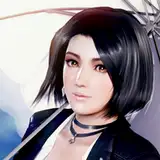
Oni Invitaion CC (Common):
Options
Steam ENG Black and white colors (If you play on DMM, ignor the sections below):
A few people are having that black and white color bug on Steam. We had this issue on DMM after the 4.5 anniversary update. KuroKaze managed to fix it by updating the ShaderOverride.ini.
I uploaded the ShaderOverride.ini i use for the steam version (I don't have that bug).
Make sure you don't have any other ShaderOverride.ini in your mods folder.
About updating the Steam ENG Buf files:
Some of the buf files keep getting updated each week that's why i haven't fully fixed them on Steam yet.
I managed to collect most of them but i don't have many SSRs on steam.
Help:
If anyone has Nanami's 2nd paid SSR on steam i would appreciate it if they could send me a frame dump of this costume.
Thanks.
CeeZ_M
2023-03-11 10:27:39 +0000 UTCHyunjin Cha
2023-03-11 01:15:22 +0000 UTC