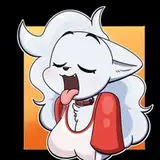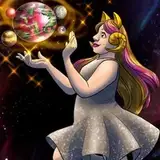
There was a good while back when I saw a post from the Patreon I get my HF patches from.. (it's mostly out of ease and security of the download. I know there are other ways to get the HF patch.)
It spoke about how you could use AI generators (specifically Stable Diffusion) to "redraw" (a.k.a. use img2img) an existing KK render to give it a more traditional drawn style. It seemed like a neat enough distraction. I'm not the biggest fan of doing these as it's more of a pain in the ass to get the program to behave itself. I've seen plenty of eldritch horror output, as in multiple nips in places they should not be, like elbows. It had a real hard time understanding how many breasts a human being is supposed to have, and of course some general nightmare faces and mangled hands. It wouldn't color the faces, especially eyes, the way I distinctly described. It's like commissioning and artist that insist it knows better than you about how something should look, or at the least, one that ignores your very specific instructions. (There's a reason I don't take up peoples' YCH deals anymore. It takes a special kind of non-talent to make Lia look ugly.)
I have found that my later attempts seem to have improved quite a bit. They're hardly perfection, or even all that great, but it's getting a lot better about it.
So after the poll I posted a several days back had an overwhelming lean to "Yes" (apologies to the one person that voted "no") I figured I'd share some of the output I've gotten, as well as the mass amount of work I might have had to do in Photoshop to any given image to make it look a bit more like how I wanted it. I'll also do my best to include the original image when I talk about them. Milori:
An early attempt, this is the first time I got a VERY good output from the original image. It's making me consider using a plain image for the redraws, and add backgrounds in later as the output really has a hard time with backgrounds, as you'll see in some of these.
The original output had a janky face on one but the body came out FANTASTIC (the weight of her breast on her arm is borderline perfect) but another one had a very good face, so I combined the good parts. There was originally an odd out of place section of hair I removed. Her hand was also incredibly jank so I used the original image to fix it.
Hope Image 1:
This was from the first set of images I made revealing Hope's true size. It was an experiment to see if I could make macromastic breast physics look more real then is capable by default in CharaStudio. I think the redraw did I FANTASTIC job of representing those physics, as well as keeping the intended effect of Hope having a good layer of "babyfat" style chubbiness in her face and stomach. I don't think I had to do too many fixes beyond the hands, and Hope's face is more one of confusion than distress like the original image. Also, to save myself having to explain this every time, the redraw NEVER pick up on Hope's spiral ahoge. (the loose hair on top of her head) I ALWAYS end up having to draw that in, and that applies to all the following images of Hope.
 Hope Image 2:
This was another experimental set that was posted already. I had to make PS corrections on the KK render as well, so this a redraw of an already modified image. The output on this one sucked, since it was still back when the program could not wrap its head around how breasts looked. I don't recall how many fixes I did to this one either, but that hand could still use a lot of work. If you're savvy and a long time fan, you might realize this image appears in the background of one of my image sets as an easter egg. Hope Image 3:
Ok, that's TECHNICALLY Nadia, but she's just Hope with muscles and slightly smaller breasts, so it's close enough. This is from the new NNN comic (which I really don't want to turn into NNF, but I'm getting way to into it again, and not enough time for my ideas.) As a new version of the program, it did a FAR better job of making Hope look accurate. The background and shaker are jank af, but not enough to warrant editing. I did a slight modification to the image, by copying and repasting her bulging cleavage to look more like it was spilling over. The original output had them too far back. I also had to clear out the inexplicable inclusion of tears in her eyes, in one of the few pics where I DIDN'T make Hope look sad.
 Hope Image 4:
What? I really like Hope/Nadia, ok? I love how the body came out on this render. Not as big a fan of the face. It's still cute, but her smile is tight-lipped and she's looking off to the side instead of toward the viewer. Didn't really feel like trying to fix it, so I left that mostly as is. I don't recall if there were many changes I made, but I did have to draw the ahoge again, where I did a much worse job. Probably one of the best direct outputs I had.

Acacia Image 1:
Speaking of characters I love, holy hell do I love how the program redraws Acacia! Her cuteness and petite body size come across incredibly well. For most of the outputs, the renders did a great job of understanding the semi-transparency of that swimsuit, but one of the outputs did this effect where the lighter spot implied the suit was slightly off her body, and I thought that REALLY sold her "wet swimsuit" look. This was combined in Photoshop with an output I preferred the body proportions of as well as the face I liked the most. (Most of which were very good.) I did have to change up the eyes a bit, and add proper purple lips. I also drew in her purple hair-tie (I decided it was purple a short while ago, even though they've been green for so long.) This face kind of makes me think of Persona for some reason. Could be because I'm playing through Persona 2 again.
 Acacia Image 2:
Made around the "Blue Skies Ahead" comic, (and before I changed the shine in Acacia's eyes) where I wanted some pics of Acacia and Xan going at it, but Acacia isn't aware Xan had grown a lot since her last encounter. The redraw did a fantastic job with her expression and body, but the part it could NOT figure out was... Xan's meatpole. Until I was a lot more descriptive, and used a few terms to stop it from rendering Xan's rod as a white mark on Acacia's torso like she had the most unfortunate case of vitiligo. It also included a V that was coming out of the base of Xan's shaft. This is one of the major reasons you're not seeing too many futa at the moment... at least any that reveal their special trait. This program cannot wrap its head around that part of the anatomy.
When I finally got it to understand what was going on, the detail was... lacking, so I did a LOT of drawing over it to give it the mass and veiny-ness that I picture it has. (Even the KK model I use is lacking, so if I ever figure out how to modify this model in Blender, I know the first thing I'm doing.) This is also why that part of the image is the worst looking and most out of place. If I could draw properly to the point of creation instead of just modification, I wouldn't be making KK renders, I assure you.
Other major changes were trying to fix her hands so they didn't look like they were mangled by industrial machinery, and giving her the proper color eyes and lips.
 Daburu Image 1:
This came out pretty good from the start, but it did a few typical AI missteps in the process, so it required some light fixing. The original output kept insisting her eye color was green, so I had to change that. I added in her deep red/pink lipstick, of which I did a pretty bad job of, looking at it. I had to remove a bit of long crumpled fingers in her palm, and fix the blatant copyright violating Doublemint logo. I believe it has said "Doublemimt" and the arrows were rounded. You might also notice her protruding nips aren't included, and hilariously, it decided the one on her left breast is part of her shirt sleeve. I think it came out well enough, so I didn't bother to add them back in.
 Daburu Image 2:
You might remember this from the "Daburu Toraburu" newspaper-comic-styled 8-koma. This one had a VERY hard time getting a consistent render, and was taking some weird liberties. I ended up going with the output I did because I liked the bold lines, and the face was the least strange. It does make her look a little more "American" if that makes any sense.
Her abs are a little too pronounced, but this was the best compromise bodywise between completely ignored, and "Lia level ripped 8-pack" Everything else I was mostly cool with so there were very few edits that required fixing. Helps her hands are behind her back, right?
 Sierra:
I experimented with a few of the images from this set, but this was the one image that was most cooperative. It would still do occasional multi-breasts, and breasts with a double-chin effect. I think I edited one of the latter in this image. Otherwise I had to combine a face from another output, and paint in the ahoge, which I believe Stable Diffusion is current at war with. I also fixed the odd way the sunglasses sat on her forehead. Most outputs ignored the tattoo, but one included it... even if it had no idea what it was. I took it from that output and put it on her arm because "close enough." Her hair is also WAY longer than normal, as it decided the brown shadowed portion of the lounge chair was just the rest of her hair.
I do like how this output kind of looks like a screencap from an anime...
As long as you ignore the fact that the lotion bottle seems to have melted in the sun, and the lounge chair is warping underneath her.
I've made plenty of other attempts but I feel these are the best ones. I don't know if you're interested in seeing any more of these, but I did have a Ciann I liked, and have a few more I want to do of Acacia and Hope. If you really want I can attach a zip file of all the eldritch abomination output I've received if you need to laugh and or be horrified.
I am well aware this is a needless distraction, and I will definitely be finishing up existing projects instead of working on these. But they are good for a mental break and photoshop practice exercises, if nothing else.